
AI Video Cut vs Smart Split: Full Comparison Creators Need
A detailed breakdown of Smart Split and AI Video Cut to help creators choose the right platform for video repurposing.

KI-Hinweis: Diese Funktion verwendet KI-Technologie, um Ihre Videodateien zu verarbeiten.

Last updated: April 2026
AI Video Cut is a standalone AI-powered video repurposing tool that converts long-form videos into short clips for TikTok, Instagram Reels, and YouTube Shorts. Smart Split is TikTok's native AI editing feature, available for free inside TikTok Studio Web, that does the same but only for TikTok.
TL;DR: Which One Should You Use?
Use Smart Split if you publish exclusively on TikTok and need a quick, zero-cost solution. Use AI Video Cut if you publish across platforms, need more customization, or work with YouTube content.
"How do I cut my podcast into TikTok clips without spending hours editing?" — recurring question on Reddit r/podcasting and r/NewTubers
This is exactly the problem both tools solve. Here is a full side-by-side breakdown.
Comparison Table: AI Video Cut vs Smart Split
| Feature | AI Video Cut | Smart Split (TikTok) |
|---|---|---|
| Upload from file | ✔ | ✔ |
| Upload from YouTube URL | ✔ | ✖ |
| Max video length (paid) | 2–3 hours | Not publicly specified |
| Max file size | 4 GB (paid plans) | 30 GB |
| Custom AI prompts | ✔ | ✖ |
| Caption styles | Multiple | Multiple (CapCut-style) |
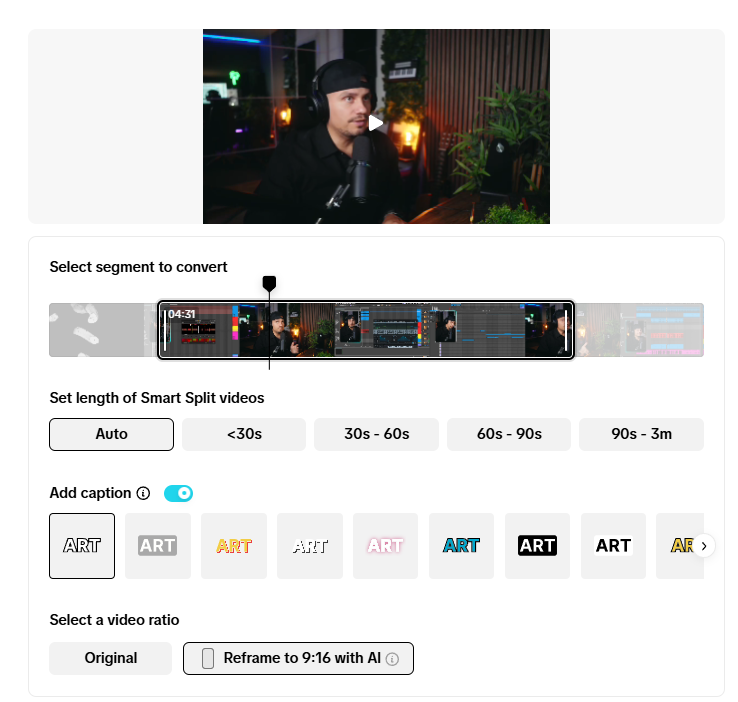
| Aspect ratios | 4 (Original, 9:16, 16:9, 1:1) | 2 (Original, Vertical) |
| Auto titles + hashtags | ✔ | Partial (titles only) |
| 100+ language support | ✔ | Auto-detect only |
| Transcript-based editing | ✔ | ✖ (manual trim only) |
| Mobile editor | ✔ | ✖ |
| Platform output | Any | TikTok only |
| Price | Free tier available | Free (TikTok account required) |
Short-Form Video in 2026: Why Repurposing Matters
Short-form video is the highest-ROI content format for marketers in 2025.
According to HubSpot's 2025 State of Marketing Report, 71% of video marketers say short-form video provides the highest ROI of any content type, ahead of long-form video (22%) and live video (6%). Short-form video posts grew by 70% in 2024, reaching nearly 6 million videos published by Metricool-tracked accounts alone (Metricool Short-Form Video Report, 2025).
Repurposing is the primary strategy creators use to sustain this volume. A single 60-minute podcast episode can yield 8–12 short clips — one source of footage, multiple pieces of platform-ready content. Tools like Smart Split and AI Video Cut automate this conversion.
How Smart Split Works: Technical Details
Smart Split is available on TikTok Studio Web (studio.tiktok.com), globally, as of October 2025. It is not available as a standalone mobile app.
How it processes video: Smart Split uses audio analysis and visual change detection to identify cut points — pauses, scene changes, and topic transitions. According to TikTok's official newsroom announcement, the tool automatically clips, reframes, captions, and transcribes the selected portion of the video. Clips are reframed to vertical (9:16) format using face detection to keep the subject centered.
What it cannot do: Smart Split reads content signals, not editorial intent. It cannot identify whether a pause means a topic shift or a mid-thought hesitation. Long monologues without natural pauses produce uneven cuts. If visual elements appear near the edges of a wide-frame video, smart crop may cut them — the tool centers on detected faces where possible, but edge cases occur (source: Storrito analysis of Smart Split behavior, 2026).
Caption accuracy: Auto-captioning uses TikTok's platform-wide speech recognition. Accuracy degrades with background noise, non-standard accents, and fast speech. TikTok recommends reviewing captions before publishing.
Editing after generation: Cut points are suggestions, not locked decisions. Clips are editable before publishing directly from TikTok Studio Web. You can also upload footage recorded outside TikTok — the tool is not limited to natively recorded content.
Output destination: Once Smart Split generates clips, creators select which ones to upload directly to their TikTok account from TikTok Studio Web.
Upload Options: AI Video Cut Accepts YouTube Links, Smart Split Does Not
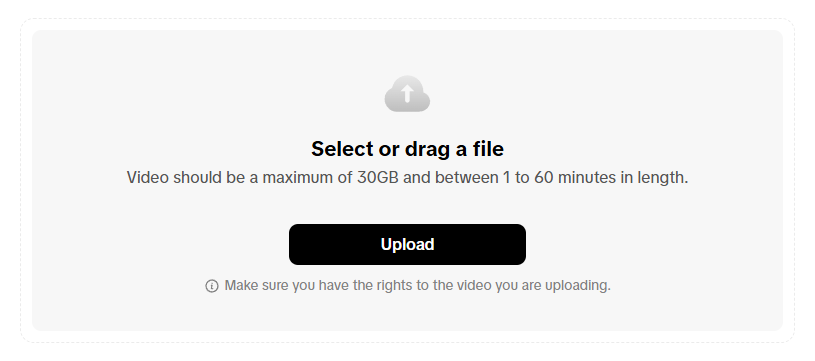
Smart Split works with direct file uploads only. Creators upload a video from their device, select which segments to convert, and Smart Split generates short clips. This works reliably but creates friction for creators who already have content published on YouTube.
AI Video Cut accepts two input methods: file upload or a pasted YouTube URL. This lets creators repurpose existing YouTube videos without downloading and re-uploading large files, saving time and local storage. For a creator with a 1-hour podcast on YouTube, this alone eliminates one step from the workflow.
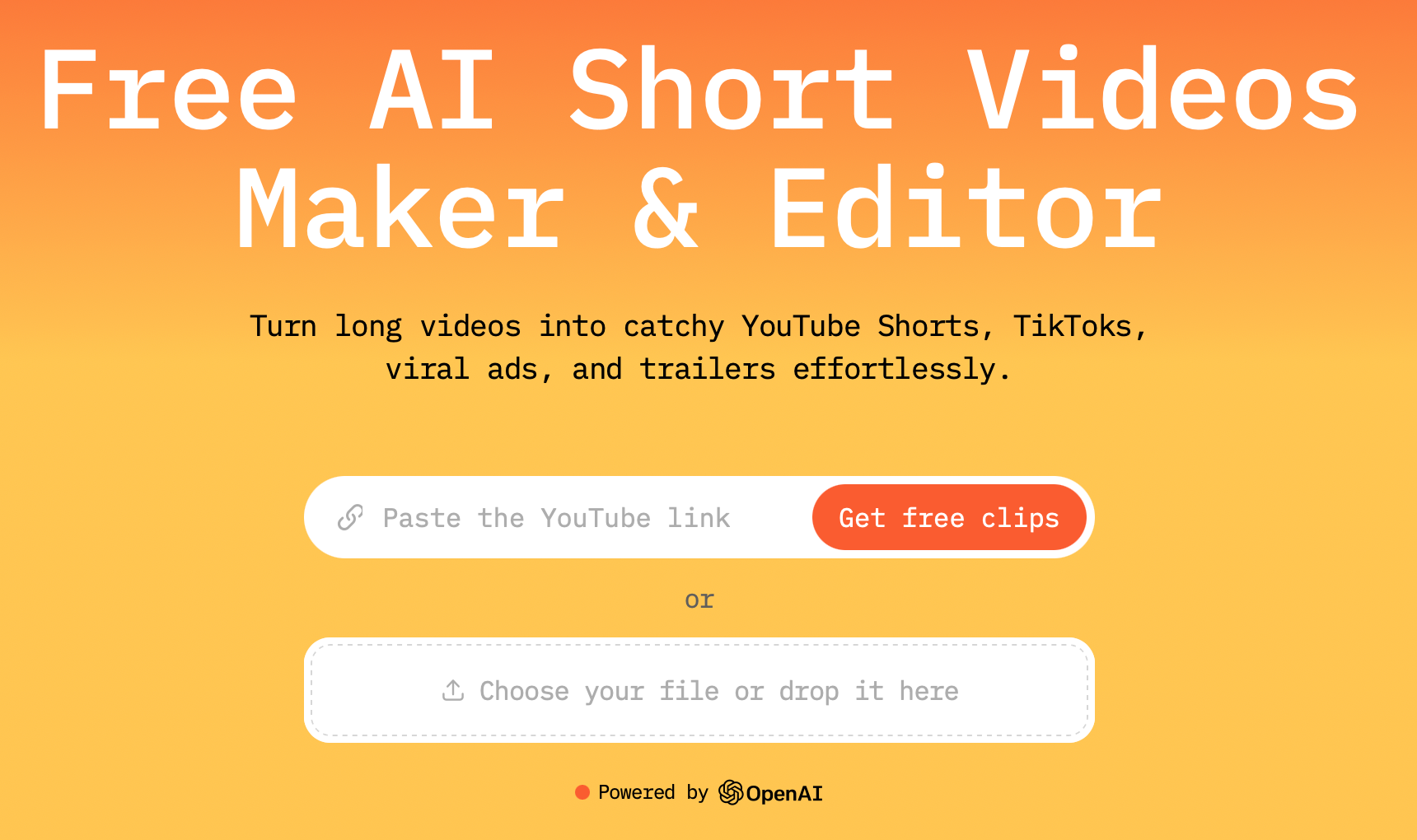
This small but crucial difference shows how AI Video Cut is designed for modern creators who value speed and flexibility. Recycling old videos or repurposing new ones becomes much easier with both upload options.
File Size and Length Limits
Smart Split can handle videos up to 60 minutes long and up to 30 GB, which is great for shorter sessions or product demos, but might be a bit tight for longer podcasts, webinars, or live recordings.
AI Video Cut offers a different, more scalable structure that can be used by various user types.
- Free plan: up to 30 minutes, 2 GB per upload
- Starter/Pro plans: up to 2–3 hours, 4 GB per upload
For long-form content like hour-long webinars or full podcast episodes, AI Video Cut's paid tiers offer more headroom.
Custom Prompts: AI Video Cut Lets You Direct the AI
This is the most significant functional difference between the two tools.
Smart Split uses fully automated AI detection. The algorithm selects segments based on its own logic — you choose which section to process, but you cannot tell the AI what type of clips to prioritize. You get what the model decides.
AI Video Cut lets users choose from preset prompts or write their own. Prompt options include: viral moments, product highlights, funny clips, instructional segments, key quotes, multi-product recaps, and many others. A social media manager running a product review channel, for example, can prompt the AI to extract only the product comparison segments, rather than accepting whatever the algorithm picks.
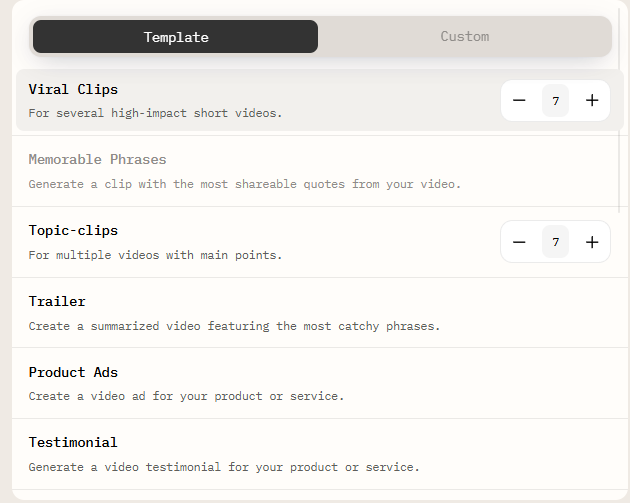
Custom prompts are available on AI Video Cut's paid plans and are documented in its help center.
Aspect Ratios and Platform Targeting
Smart Split outputs in two formats: original ratio and vertical (9:16 for TikTok). Since Smart Split is a TikTok-native tool, this makes sense: the output goes straight to TikTok.
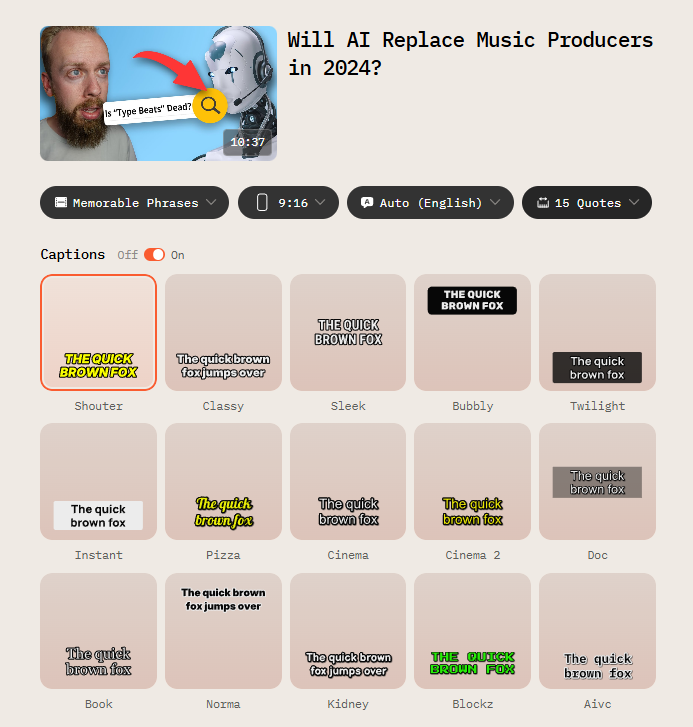
AI Video Cut supports four aspect ratios:
- 9:16 — TikTok, Instagram Reels, YouTube Shorts
- 16:9 — YouTube standard, LinkedIn video
- 1:1 — Instagram feed, Facebook
- Original — no cropping
For creators distributing the same clip across three or four platforms, this removes the need to re-export from a separate editor for each format.
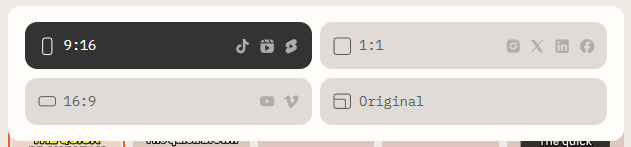
There's also a whole range of caption styles to choose from, so you can keep your brand’s look and feel consistent. You can also change the style and tone of the resulting clips using prompt-based customisation or even create your own custom prompt to fit your specific needs. You can even make several clips in one go, or set the video length based on the number of key quotes or moments.
Even better, AI Video Cut lets you write custom prompts. This feature gives experienced creators, marketers, or social media managers total creative control, allowing them to specify the exact type of content they want. AI adapts its clip selection and pacing based on that instruction.
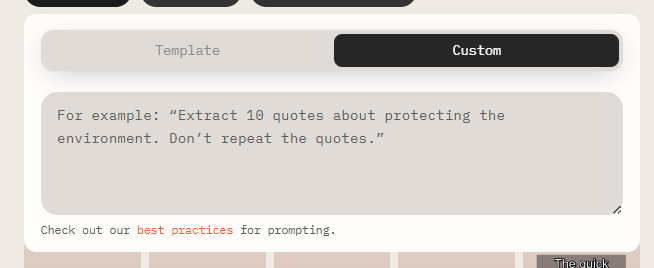
This approach turns it from a boring, automated tool into a semi-creative process where you define the goal and the AI handles the rest.
Transcript-Based Editing vs Manual Trimming
Both tools include a video editor, include built-in editors that let you edit transcripts, remove video sections, and tweak captions, but they work differently.
Smart Split requires manual trimming: find the segment you want to remove, split the clip, delete it. This is standard non-linear editing, which is functional, but slower.
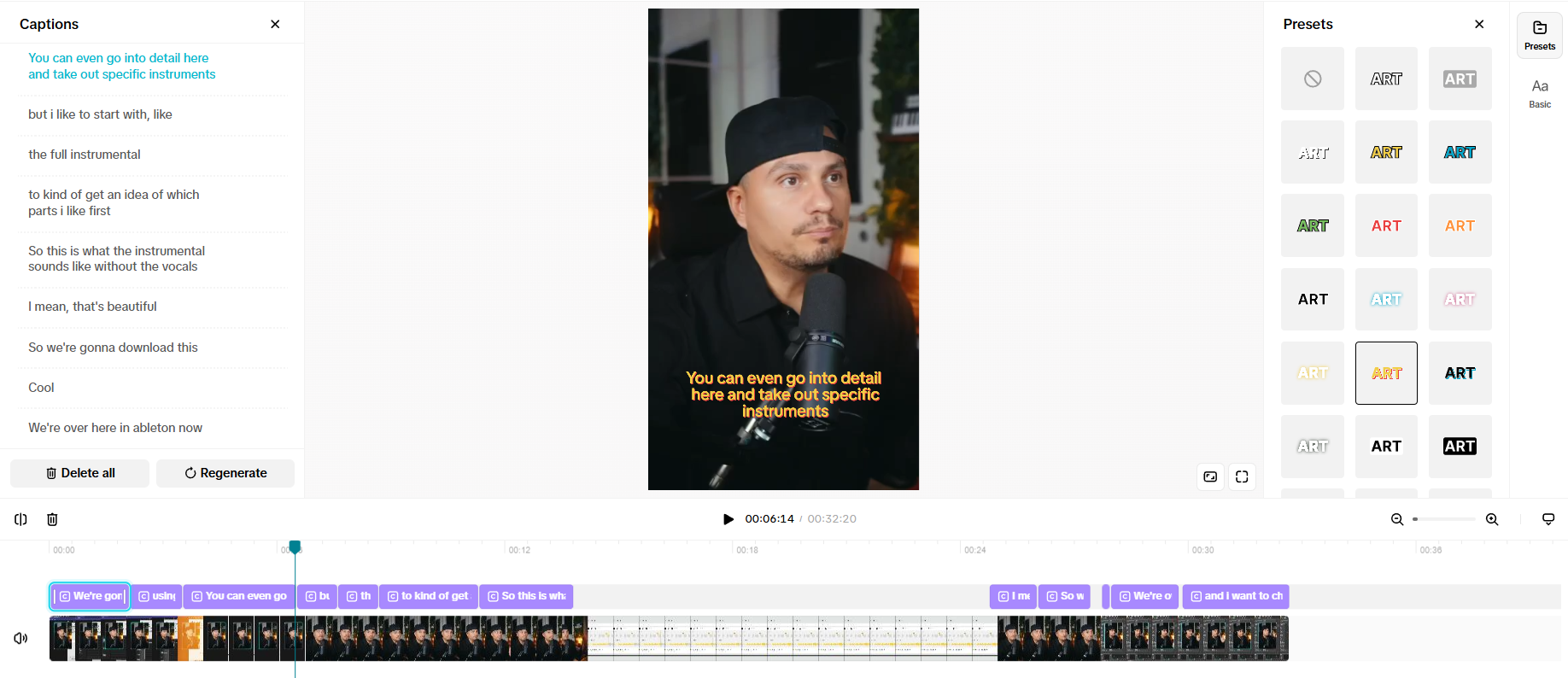
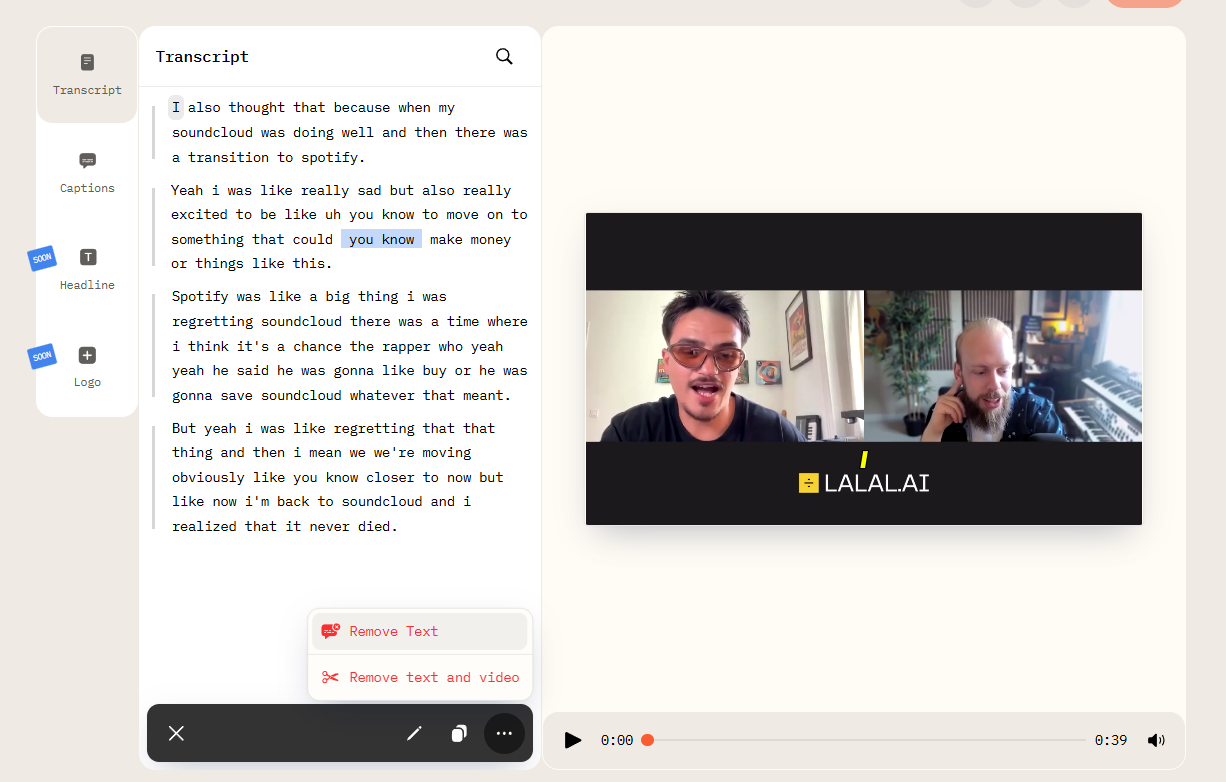
AI Video Cut uses transcript-based editing as well as timeline-based editing. The transcript appears as interactive text; deleting a word or sentence automatically removes the corresponding video segment. This approach reduces editing time for creators who think in terms of spoken content rather than timecodes, which is particularly useful for podcast clips and interview footage.
AI Video Cut's mobile editor extends this workflow to smartphones, documented in its product blog.
Titles, Descriptions, and Hashtags
When it comes to publishing, Smart Split automatically generates titles but often produces long, keyword-heavy lines that may not suit short-form platforms. You will have to shorten or rewrite them before posting.
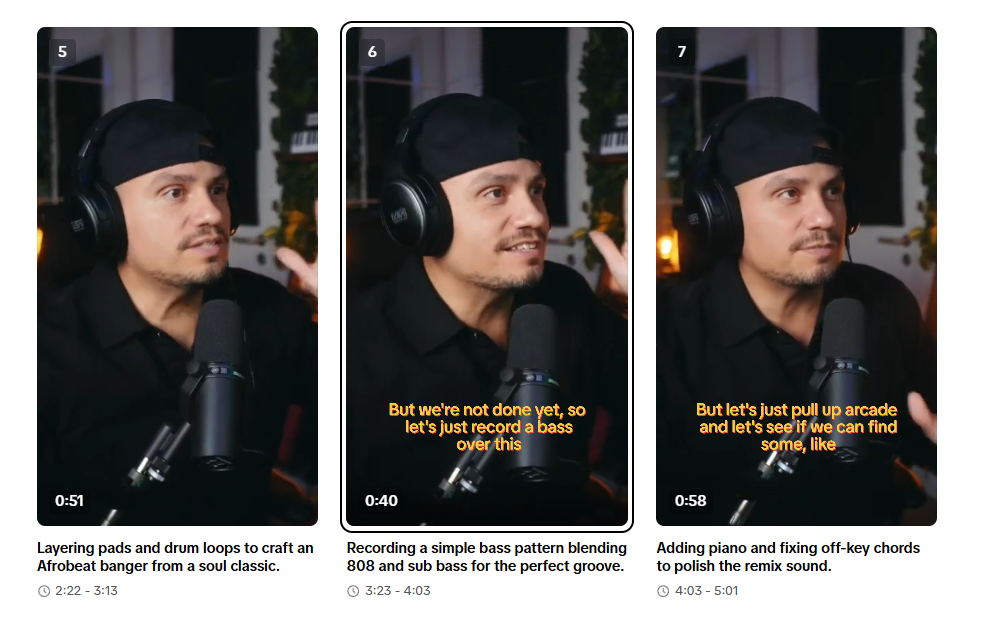
AI Video Cut generates short, catchy titles designed to get people involved. It also creates optimised video descriptions and relevant hashtags, so every clip is ready to go straight away for platforms like TikTok, Instagram Reels, or YouTube Shorts. This saves creators loads of time on post-production, which is really useful for social media managers or anyone who needs to keep a consistent posting schedule.
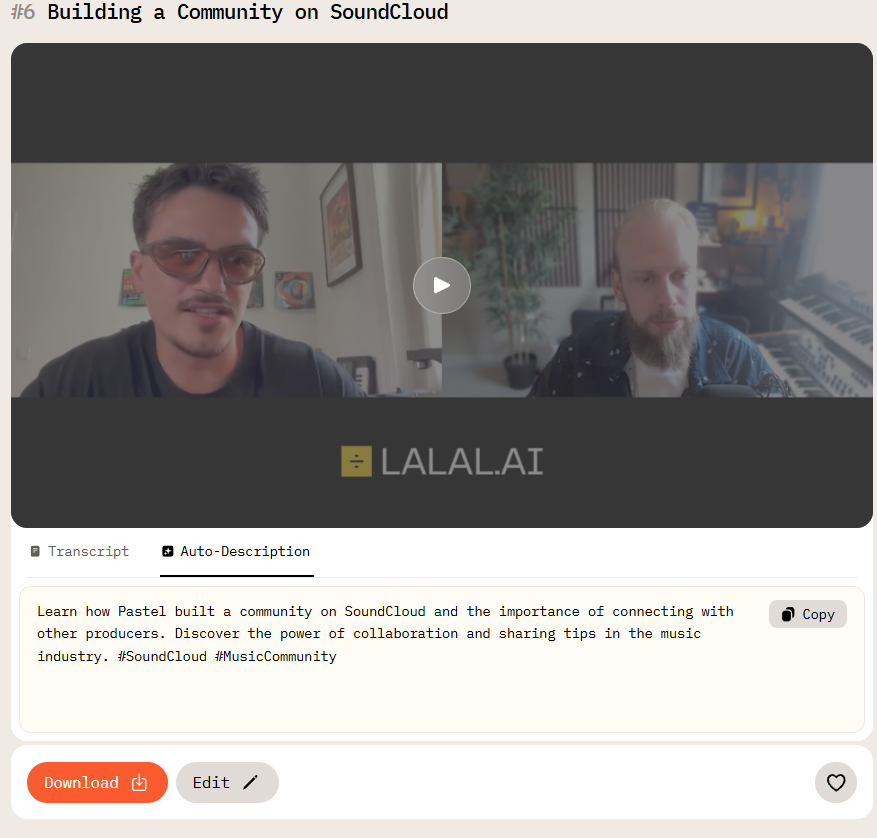
Put simply, AI Video Cut doesn’t just edit videos; it prepares them for sharing.
Language Support
Both AI Video Cut and Smart Split have AI-based language detection, but they’re not as flexible in the same ways. Smart Split automatically detects the language in your video, which is handy, but you don't have much control if you want to override or correct the detection.
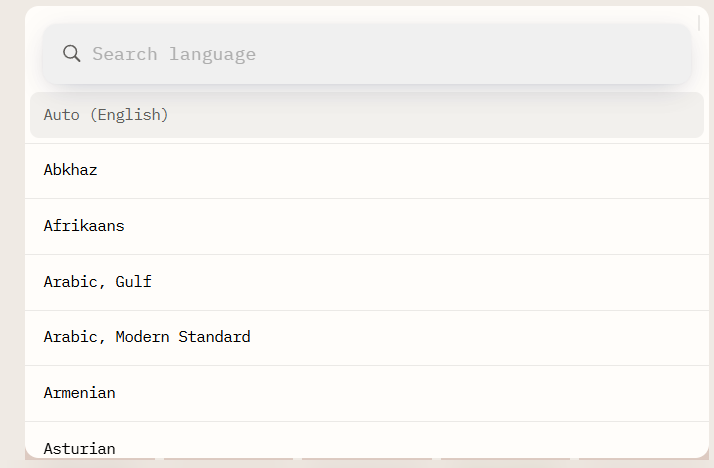
AI Video Cut supports automatic detection plus manual selection from over 100 languages. This is relevant for multilingual creators or brands publishing content in multiple markets, where auto-detection errors in captions can undermine the clip's quality.
Smart Crop and Face Detection
And finally, both Smart Split and AI Video Cut have smart crop and face recognition technologies that automatically keep subjects centred and properly framed throughout the clip. These features make everything look more consistent and reduce the need for manual cropping, a key part of any short-form editing tool. As both platforms do well in this area, it is a tie.
Pricing
Smart Split is free for any creator with a TikTok account and access to TikTok Studio Web. It was launched globally in October 2025.
AI Video Cut offers a free plan (30-minute videos, 2 GB) and paid Starter and Pro plans. Pricing details are listed on aivideocut.com/pricing.
Context: The Short-Form Video Landscape in 2026
Understanding why both tools exist requires context on where content creation is heading:
- Short-form video is the #1 ROI content format for 71% of video marketers, according to HubSpot's 2025 State of Marketing data
- 60% of TikTok users cite short-form video (under 60 seconds) as their most frequent interaction format, per Sprout Social's Q3 2025 data
- The average TikTok video in 2024 was 42.7 seconds long — up from 39 seconds in 2023 (Sprout Social, 2026)
- Short-form video posts grew 70% year-over-year in 2024, based on Metricool's analysis of 5 million+ videos across 582,000 accounts
- YouTube Shorts generates approximately 70 billion daily views globally (Alphabet Investor Relations / Hootsuite)
- 53% of marketers planned to increase short-form video investment in 2024, with 38% maintaining existing investment (various sources, aggregated by passivesecrets.com)
For creators who want to maintain a presence across TikTok, Instagram Reels, and YouTube Shorts simultaneously, repurposing tools are no longer optional: they are the infrastructure that makes multi-platform publishing viable.
Final Verdict
Final Verdict: Which Tool Should You Use?
Use Smart Split if:
- You publish exclusively on TikTok
- You want a zero-cost tool with no account setup beyond TikTok
- You need basic automated clipping with no customization
Use AI Video Cut if:
- You publish on TikTok, Instagram Reels, and YouTube Shorts simultaneously
- You want to repurpose YouTube videos without downloading files
- You need prompt-based control over which type of clips the AI selects
- You edit podcasts or interview-style content and prefer transcript-based editing
- You want ready-to-post titles, descriptions, and hashtags generated automatically
Smart Split is TikTok's answer to quick, platform-native repurposing — no frills, no cost. AI Video Cut is built for creators who need more control, work across platforms, or want the AI to follow a specific editorial direction rather than choosing segments on its own.
FAQ
Can Smart Split export to Instagram or YouTube?
No. Smart Split outputs clips directly to TikTok via TikTok Studio Web. It is not designed for cross-platform publishing.
Does AI Video Cut work without a YouTube account?
Yes. You can upload a video file directly without connecting any external account. The YouTube URL option is an additional input method, not a requirement.
Does Smart Split work on footage not recorded on TikTok?
Yes. Smart Split accepts any video file uploaded to TikTok Studio. The tool is not limited to content recorded natively within the TikTok app.
Can I edit the clips Smart Split produces?
Yes. Cut points are suggestions, not locked. Clips are editable inside TikTok Studio before publishing. However, editing is done via timeline trimming, not transcript-based text editing.
Is Smart Split available on mobile?
Smart Split is available on TikTok Studio Web (desktop browser). As of its October 2025 launch, TikTok has not announced a dedicated mobile editing interface for Smart Split.
What is the minimum video length for Smart Split?
Smart Split requires videos to be longer than one minute, as stated in TikTok's official newsroom documentation (October 2025).
How many clips does AI Video Cut generate from one video?
AI Video Cut can generate multiple clips in a single processing run. The number depends on the video length, the prompt selected, and the plan you're on. You can also specify clip length by number of key quotes or moments.
What languages does AI Video Cut support?
AI Video Cut supports manual selection from over 100 languages in addition to automatic language detection.
Is there a free version of AI Video Cut?
Yes. The free plan allows processing of videos up to 30 minutes long and up to 2 GB in file size.
KI-Hinweis: Diese Funktion verwendet KI-Technologie, um Ihre Videodateien zu verarbeiten.