
Not Just YouTube: Which Upload Sources Are Available in AI Video Cut?
Your source content isn't only on YouTube. AI Video Cut supports platforms including Zoom, Twitch, Instagram, Google Drive and more, so you can skip the download and go straight to clipping

Avis IA : Cette fonctionnalité utilise la technologie IA pour traiter vos fichiers vidéo.

A social media manager at a mid-sized agency told us something during an interview that stuck. She said her biggest time sink wasn't making the content, it was editing and repurposing. Every piece of source content lived somewhere different: a recorded Zoom call, a Twitch stream VOD, a Reddit video, a Facebook Live from last quarter. Before she could cut a single short, she had to track it all down, download it manually, and drag it into whatever tool she was using.
This is the problem we set out to solve when we expanded the upload sources available in AI Video Cut.
Where Content Actually Lives
Here's the thing about content repurposing in 2026: the source material is almost never a tidy local file sitting on your desktop. It's a webinar recording on Zoom, old Twitch stream your client finally wants to cut into clips, Facebook Live from a product launch, or Reddit video thread that went unexpectedly viral.
YouTube gets all the attention when people talk about video sources, and for good reason. It's the world's second-largest search engine and the default archive for long-form content. But it represents maybe 40% of where serious video creators and social media teams actually source their material. The rest is scattered across a messy ecosystem of platforms, each with its own login wall and download logic.
This is the distribution reality that tools built purely around YouTube tend to ignore.
Platforms AI Video Cut Supports Now
As of today, you can paste a link from any of these directly into AI Video Cut with no downloading or extra steps:
- YouTube
- Twitch
- Dailymotion
- Zoom
- Google Drive
Plus the standard file upload for anything you already have locally.
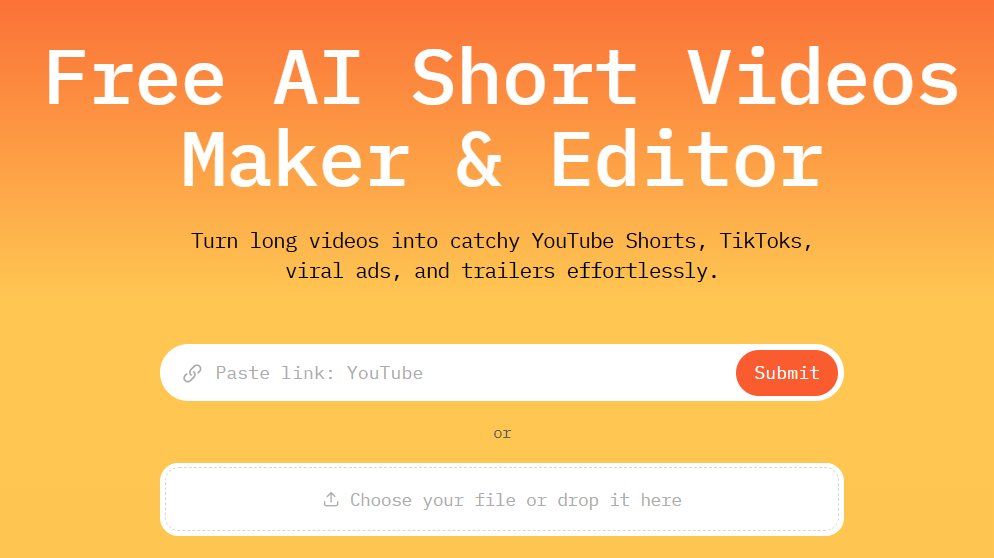
That's 8 external sources on top of local files. For most workflows, like those of agencies, podcast teams, event organizers, course creators, this covers the vast majority of where long-form video actually lives.
Why This Changes Video Repurposing & Social Media Growth Workflow
Let's be specific about what the old workflow looked like for a social media agency handling, say, a B2B software client.
The client sends over a link to a Zoom recording of a 45-minute product demo, so a social media manager has to open the Zoom link, download the file (assuming they have access), wait for it to download, drag it into the editing tool, wait for upload. If it's a 4GB file on a slow connection, that's 20 minutes of dead time before anything intelligent happens.
With direct link import, the workflow is:
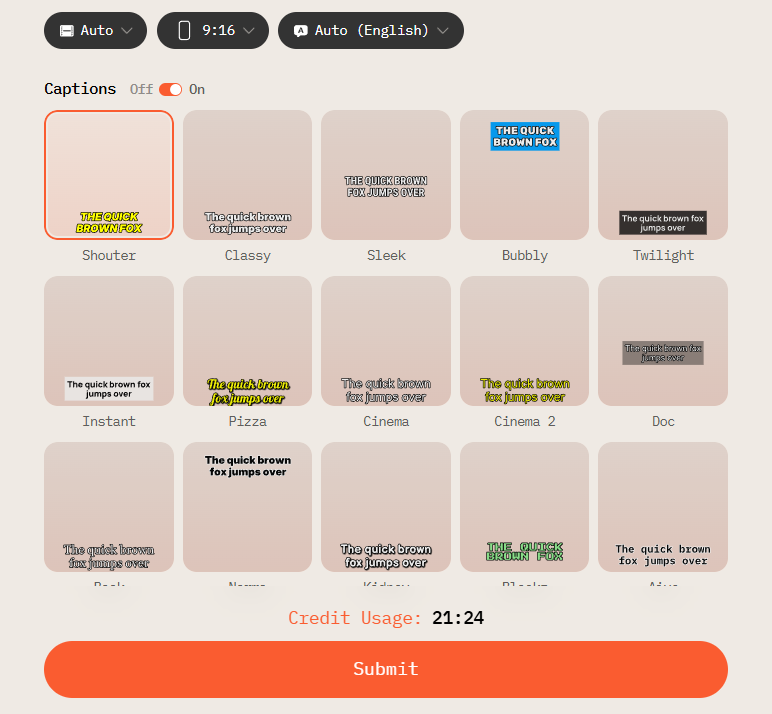
- Paste the Zoom link.
- Hit Submit.
- Done! AI Video Cut handles the retrieval on its end. At this point, you're already selecting your video output type, captions style, aspect ratio, and length.
That's not a marginal improvement. For agencies running 10–20 video projects a week across multiple clients, it's an hour or more reclaimed daily.
And more importantly, it reduces the activation energy required to start a project, which means more content actually gets made instead of deferred.
What This Is Actually About
The upload source expansion isn't a feature in the traditional sense. It's a distribution decision. The question we asked internally was: where does our target user's content actually live? Not where we wish it lived, not where the ideal workflow would put it — where does it actually sit right now, today, in the messiest real-world version of their job?
Meeting users at the right platform is how you remove the friction that stops good content from getting repurposed. Most long-form video content never gets turned into shorts. Not because nobody wants to do it, but because the path from "content exists" to "content is ready to publish" is just annoying enough to skip, and we're trying to eliminate that skip.
What's Next
We're actively tracking which platforms our users are trying to pull content from. If you've run into a source that doesn't work yet, like a specific podcast platform or a regional video host, you can reach out to us at feedback@aivideocut.com—that feedback directly shapes which sources we enable next.
The goal isn't to support every platform for the sake of a feature list but to make sure that by the time you have an idea for a short clip, the only question left is which prompt to use.
Avis IA : Cette fonctionnalité utilise la technologie IA pour traiter vos fichiers vidéo.