
Top AI Tools for Video Editing in 2026: Save Time & Boost Engagement
Maximize your video content's potential with AI video editing tools. Learn how to use AI to create videos for platforms like YouTube Shorts, TikTok, and Instagram Reels.

Avis IA : Cette fonctionnalité utilise la technologie IA pour traiter vos fichiers vidéo.
Updated 08.04.2026
The choice of an AI video editing tool mainly depends on your goal. If you need to clip your long video to post it on Reels, Shorts, or TikTok, AI Video Cut is the best option. HeyGen is a great choice for creating videos with AI avatars and voiceovers without the need for filming. LALAL.AI is the strongest option for audio tuning and cleanup.
Fortunately, AI video tools are revolutionizing the way creators produce content by automating editing, improving quality, and repurposing long-form videos for multiple platforms. This article will share the tools that can become a solid part of your editing workflow. We will explore the best AI tools that will save you time while maximizing engagement.
How Important Is Video Content?
Video content is indeed the most influential format on today’s social media, and the algorithms often require you to post regularly in order to get more views and followers. Short videos work especially well for raising brand awareness, engaging people, and communicating quickly. In 2026, short clips get 2.5x more engagement on social platforms and strong viewer retention under 90 seconds. It works well because people are more likely to watch, share, and finish a short video than a longer piece of content. It's also usually cheaper and faster to produce than long-form video, so it's great for testing ideas and posting regularly.
Which AI Tools Can Repurpose Long Videos into Short Clips?
AI Video Cut is the perfect AI video maker to turn long videos into short clips. This tool uses intelligent algorithms to detect key moments in the video and automatically generate short-form clips optimized for social media. You can:
- Choose the target format (Viral Clips, Product Ads, Jokes, and more).

- Set the aspect ratio and clip length.

- Auto-generate captions and choose a caption style.
- Upload a video or paste a link and quickly receive processed clips.
- Fine-tune the caption style and transcript in the built-in editor.
The full workflow is very simple. You need to paste the link or upload your video, choose the parameters, click “Submit,” and wait a little while until you get your fantastic result.
What AI Tools Can Create UGC Videos Without Filming Anyone?
HeyGen is a cutting-edge AI video generator that can create high-quality videos featuring realistic AI avatars and natural-sounding voiceovers. This tool is perfect for marketing, presentations, and social media content. You can insert your script (the tool can even help you with writing it), choose the speaking person you want to read the script, and, in some cases, even the tone of voice and speed.

It supports custom backgrounds, branding, and animations, and is well-suited for marketing, corporate presentations, and educational content. What is more, HeyGen offers a translation option that lets you repurpose your content for different locations. It replicates the voice and intonation and even synchronizes the lip movements, so you get a natural-looking and sounding result.
What AI Tool Is Best for Improving Audio Quality in Videos?
LALAL.AI is the most powerful AI audio tool for video creators. The Voice Cleaner feature can fix audio quality before publishing to YouTube, TikTok, or Instagram. Apart from this one, the tool offers more key features useful for creating videos:
The tool was originally popular as a stem splitter for musicians but has expanded its functionality, making it valuable for content creators looking to improve audio in short videos and social media content.

LALAL.AI makes sure your audio is crystal clear and professional, so it's a must-have for any video editor looking to up the sound quality of YouTube Shorts, Reels, or TikTok. Users actively use and love this tool. On the scale side, LALAL.AI processed over 63 million splits in 2025 across almost 6.8 million registered users. That's almost double the user base from 2024. That shows just how quickly the tool has grown in popularity among content creators.
What AI Tool Adds Visual Effects to Videos?
Runway ML offers the most sophisticated AI-powered visual effects of any tool on this list. It is used by professional creators and filmmakers to:
- Generate video from text prompts.
- Remove and replace video backgrounds instantly.
- Transform footage into animation or stylized visuals using AI filters.
- Erase unwanted objects from video with AI tracking.
- Collaborate in a shared cloud workspace.

Runway ML is best suited for creators who want Hollywood-style effects without advanced technical skills.
What AI Tool Turns Text into Videos Automatically?
Pictory is a tool that turns written content into video. It automatically selects relevant stock footage, adds text overlays, and generates AI voiceovers from a script, article, or blog post.
Key features include:
- Automated captions and subtitles (important for silent autoplay on social media).
- Pre-designed video templates for social media, ads, and marketing.
- AI-voiceover generator in multiple languages for international audiences.

Pictory is great for quickly creating TikToks, Instagram Reels, YouTube videos, course material, explainer videos, and promotional clips. It's great if you want to repurpose existing content rather than edit from scratch. However, this app has some limitations. It’s focused on automated video creation rather than advanced manual editing, so it’s better for speed than for cinematic control.
What AI Features Does CapCut Offer for Video Editing?
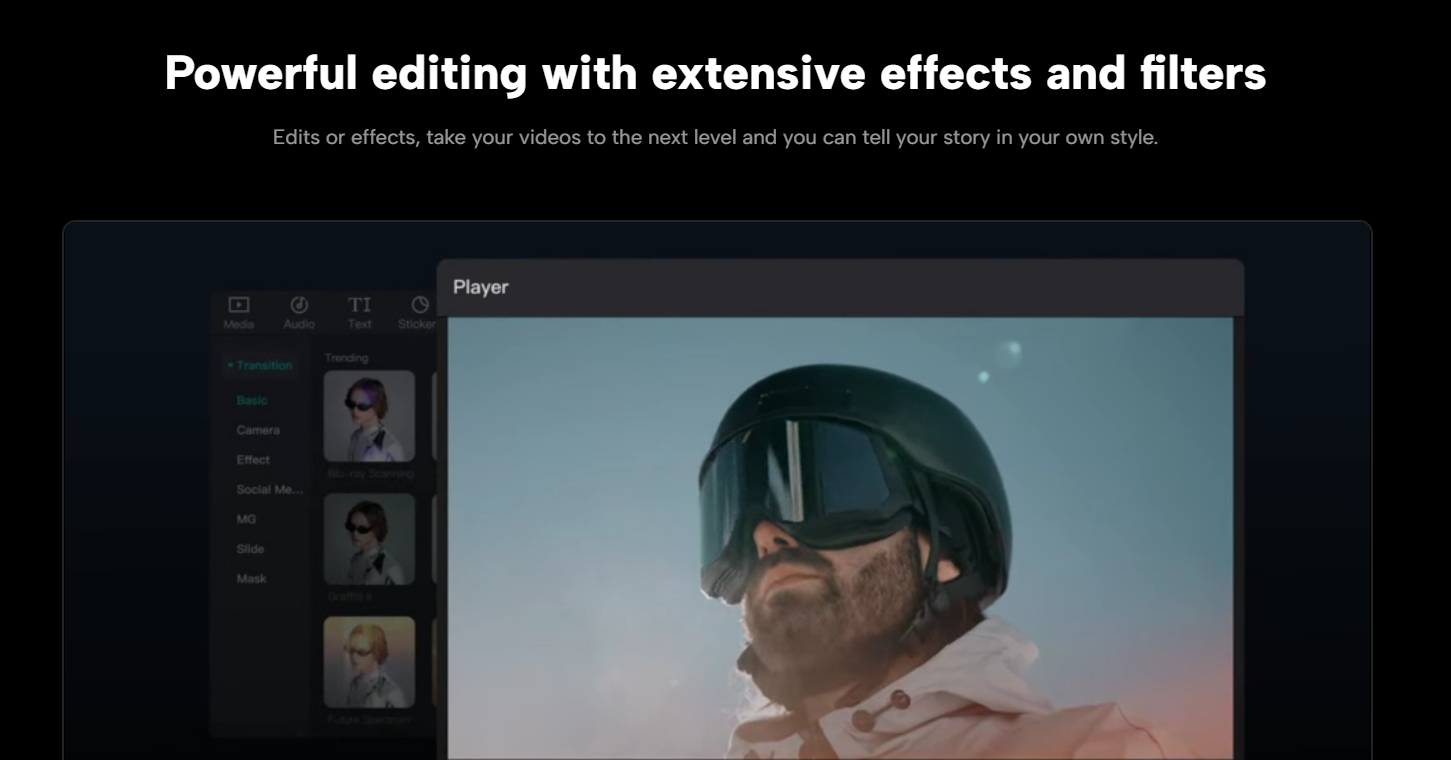
CapCut is a free video editor developed by ByteDance (the company behind TikTok) that integrates AI features right into a traditional timeline editing interface. This makes it stand out from the other tools on this list – it works as a full editor first, with AI tools added on top.
Its AI features include:
- Auto Captions. The app generates and syncs subtitles automatically from speech, with style customization.
- AI Background Remover removes or replaces backgrounds in a single click, even without a green screen.
- AI Script to Video converts a written script into a video with matched stock footage and voiceover.
- AI video generator Dreamina Seadance that can create videos from text prompts or images. CapCut says it’s designed to produce smoother motion, clear visuals, and more control.
A lot of people who make content use CapCut. This video editor has surpassed 1 billion Google Play downloads. By 2024, it had been downloaded over 1.4 billion times worldwide. You can get it as a mobile app or a desktop application, and it's free to use, but you may need to pay to access extra features. TikTok creators use it as their main editing tool because it's made by the same company and is optimized for that platform's formats and trends.
Which AI Video Editing Tool Is Right for You?
All the AI tools mentioned perform various tasks. The table below shows you how each tool works, so you can find the right one for the job.
Who are AI Video Editing Tools Best Suited for?
AI video editing tools are useful for:
- Content creators and influencers who post regularly on TikTok, Instagram, or YouTube and need to save time on editing.
- Marketers and businesses who need promotional or product videos without a production team.
- Educators who want professional video content without on-camera experience.
- Podcasters and long-form creators who want to extend their reach by clipping content for short-form platforms.
Frequently Asked Questions
Can AI Video Tools Create Captions Automatically?
Yes. AI Video Cut and Pictory offer automatic captioning. This is especially important for social media, where many users watch with the sound off. According to a Sharethrough study, 75% of people watch videos online on mute.
Do I Need Video Editing Experience to Use These Tools?
No. All tools listed are designed for use without technical editing skills. CapCut is a particularly beginner-friendly full editor that comes with built-in AI assistance. Tools like AI Video Cut are very accessible. You simply input your content, and the AI will handle the editing.
What Is the Fastest Way to Create a Short Video from a Long Recording?
AI Video Cut is the fastest option. To use this tool, simply paste the video link or upload the file, select your output parameters, and the tool will identify the best moments and generate short clips that you can post right away..
Can AI Tools Replace a Professional Video Editor?
For regular social media content and repurposing tasks, AI tools do most of the work. When it comes to big-budget productions or tricky narrative editing, a professional editor still adds value, but AI tools can save you a lot of time and money on everyday content.
Can AI Tools Generate Voiceovers in My Own Voice?
Yes. LALAL.AI offers a voice cloner that can replicate a speaker's voice for dubbing and narration. HeyGen also supports voice cloning as part of its avatar and video generation workflow. This way, you can make voiceovers at scale without re-recording every time.
If you want to repurpose long videos into short clips to increase your reach on social media, AI Video Cut is the best AI solution to do so, helping you save time and maximize impact across multiple platforms.
Avis IA : Cette fonctionnalité utilise la technologie IA pour traiter vos fichiers vidéo.