
Your Raw Footage Is a Content Goldmine. You Just Don't Know It Yet
Slicing raw footage into viral Reels, TikTok, and Shorts just got easier with AI Video Cut.

AI notice: This feature uses AI technology to process your video files.

Most people think AI video tools are for one thing: taking a polished, edited long-form video and slicing it into ready-to-post Reels, TikToks, and Shorts. That's useful but it's only half the story.
The reality is that most of the video that exists in the world (on your hard drive, in your Google Drive, in your client's Dropbox) isn't polished. It's raw: a 2-hour webinar recording, coaching call, conference session, product demo, live stream from last Thursday, and many more other scenarios. That raw footage is sitting there doing nothing not because it's bad but because turning it into short-form content feels like too much work to even start.
AI Video Cut changes that. It can give you finished Reels, TikToks, and Shorts as well as something equally valuable—drafts, ready-to-review clips pulled straight from your raw material.
Watching three hours of material to find five great moments for Reels is a challenge; that's the job nobody wants to do—the job that AI Video Cut can take off your plate.
Raw Footage That Turns into Dozens of Reels: Who Actually Needs This
Coach or Expert After a Webinar
Imagine you just ran a 90-minute live session; there were great moments in there: the story of your client that made everyone go quiet, the one-liner that perfectly captured your methodology, the Q&A exchange that could be its own piece of content but you're not going to watch it back, you're moving on to the next client.
AI Video Cut processes the recording and surfaces those moments as draft clips. You skim through 15 short candidates, pick 5, tweak the captions, and your webinar just turned into a week of social content.
Marketing Agency with a Client's Conference Recording
When your client hands you a USB drive with six hours of panel discussions from their annual summit on it and a brief like "get us something for LinkedIn and Instagram," without AI, someone junior would watch all six hours and take notes. Someone else clips, then someone else reviews. This workflow would require three people and roughly two weeks.
With AI Video Cut, however, all you do is upload, process, and get draft clips. Your editor reviews 40 candidates in an hour and sends 12 to the client for approval by the end of day.
YouTuber Who Shoots Long and Posts Long (but Wants More)
YouTube Shorts drive content discovery, so you know you should be posting them. Creators and analyses report high ratios of views from users who aren’t subscribed, making Shorts an actionable top‑of‑funnel format.
YouTube’s recommendation system actively matches Shorts to viewers likely to watch them, so performance and audience signals determine reach rather than channel size. Besides, Shorts can act as a funnel to long‑form content: when Shorts hook viewers, they often visit the creator’s channel and watch longer videos or subscribe, improving lifetime value.
But editing your long videos takes many hours already and you have zero energy left for a second editing pass. You don't need to edit twice: upload the raw recording to AI Video Cut before you even start on the long edit. Get your Shorts drafts out of the raw material while your main video is in progress.
Online Educator with a Content Archive
If you have 200 hours of course recordings from the last four years, that library has content that still resonates. But it's locked inside lesson recordings nobody goes back to watch.
Raw footage processing lets you mine that archive systematically, not just when inspiration strikes.
The Economics: What This Actually Costs
Let's be direct about money, because this is where the argument gets obvious. A client wants 100 short-form clips this month. A professional editor quotes circa $3,000 for a Reels package. The client's budget is $150. Most agencies in this situation either push back, underdeliver, or quietly lose the client.
Here's what smart operators do instead.
AI Video Cut's Pro plan runs $12.50/month (annual billing). That includes 300 minutes of upload time, which, in practice, translates to 100 or more clips per month. Do the math: that's roughly $0.12 per piece of content.
For agencies, this changes the entire business model. You're not paying per clip or per hour of editing time. You're paying a flat, predictable monthly fee and processing volume that would be impossible to staff manually. The margin on content production doesn't compress, it expands.
For solo creators, it means the economics of consistent posting finally make sense. Posting 3–4 Shorts per week from your raw footage doesn't require a retainer with an editor. It requires a Sunday afternoon and a $12.50/month subscription.
And for businesses sitting on archives of webinars, interviews, and event recordings? The ROI calculation is almost embarrassing. You've already paid for the content to be created. The footage exists. The only question is whether you're going to let it collect dust or put it to work.
How the Workflow Actually Looks
Here's the practical flow for raw footage processing:
- Record normally.
Don't change how you film, present, or stream. Raw is fine.
- Upload to AI Video Cut directly.
No pre-editing required, just drop in the full recording as a local file or YouTube link. It can be no longer than 3 hours.
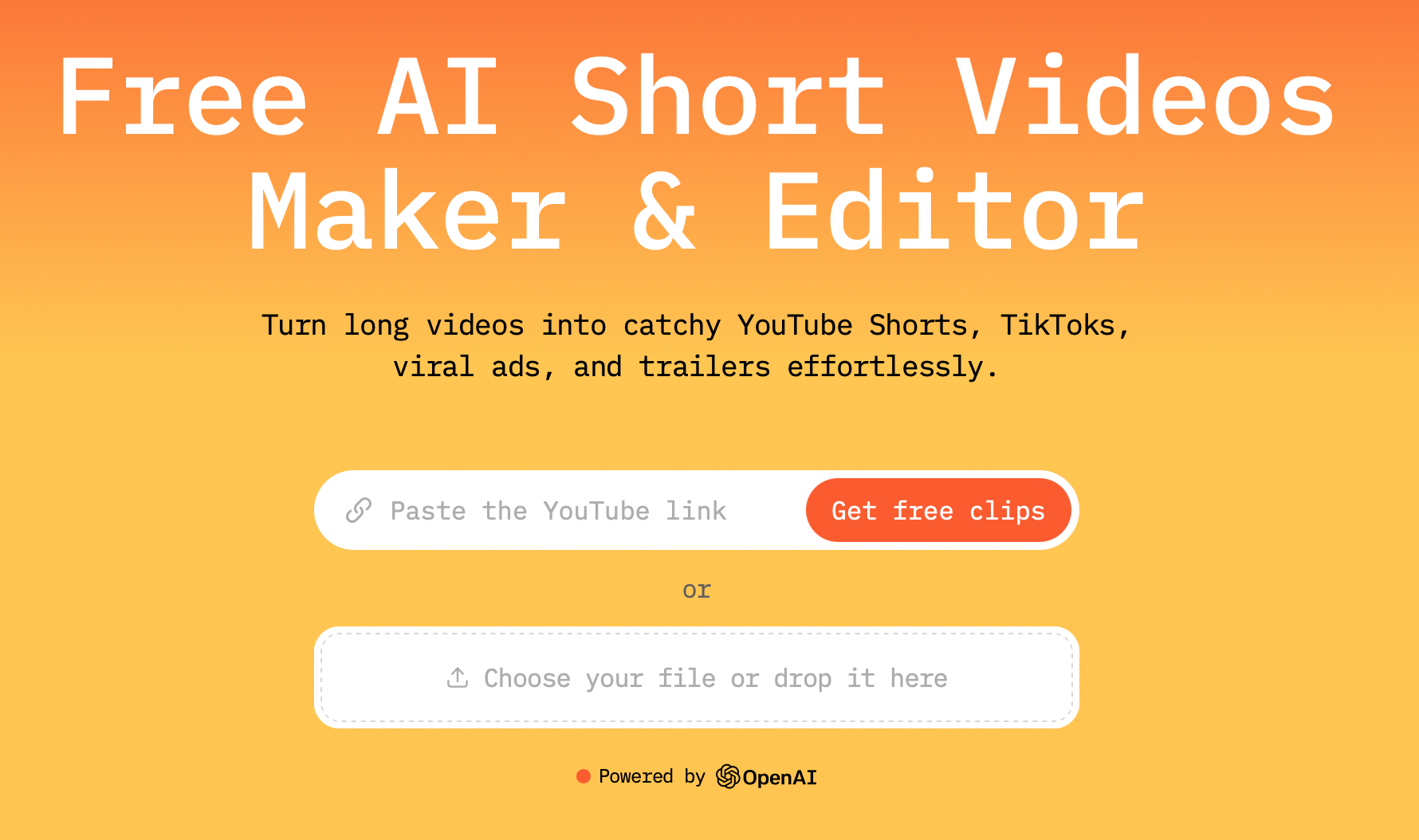
- Choose the output type from the list or type your own custom prompt.
The tool analyzes the raw footage, identifies high-value segments, such as strong statements, natural topic transitions, moments with energy.
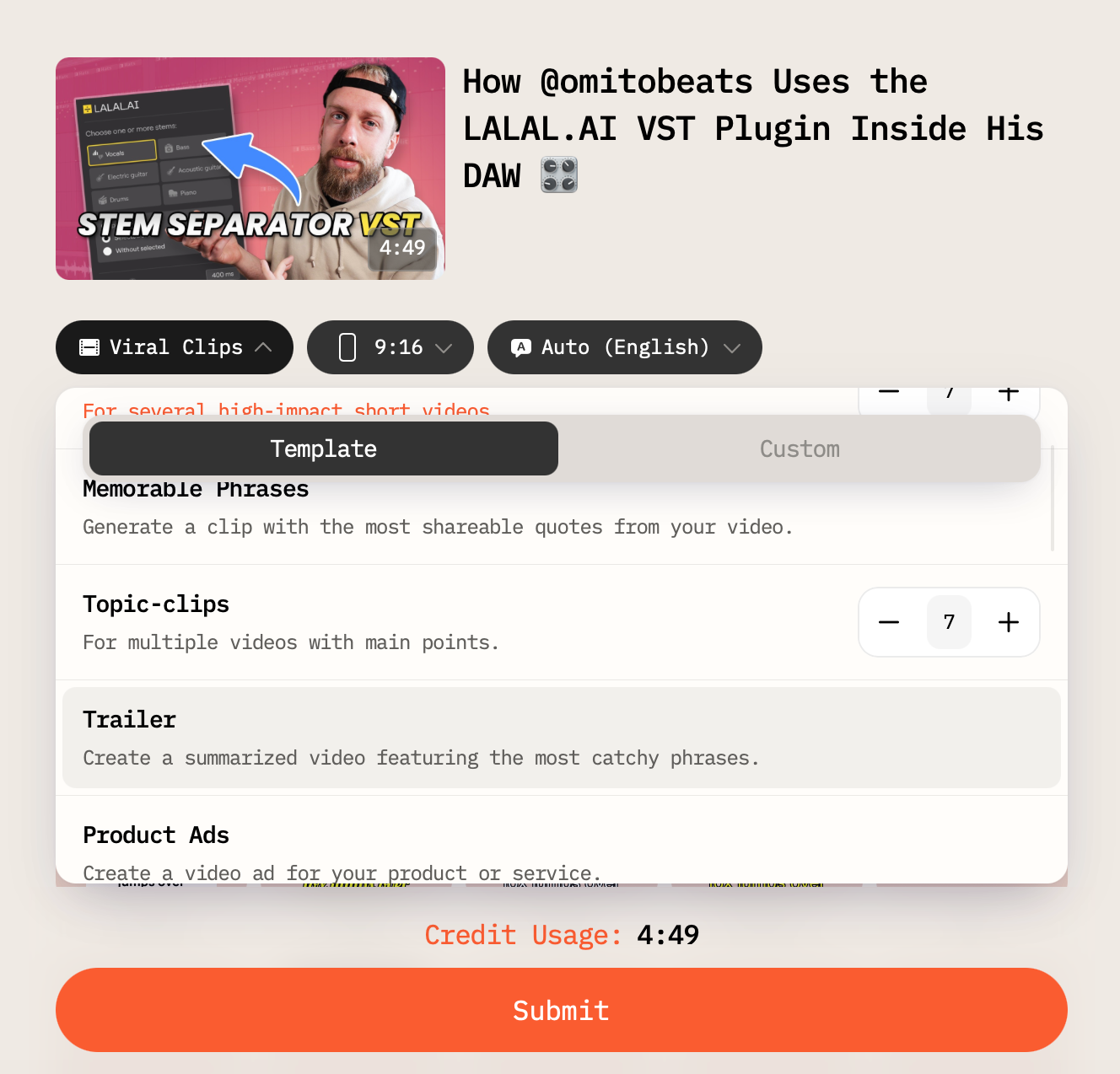
4. Select the number of clips you want to make (if available for this output type), the length of your result video, captions style, and aspect ratio.
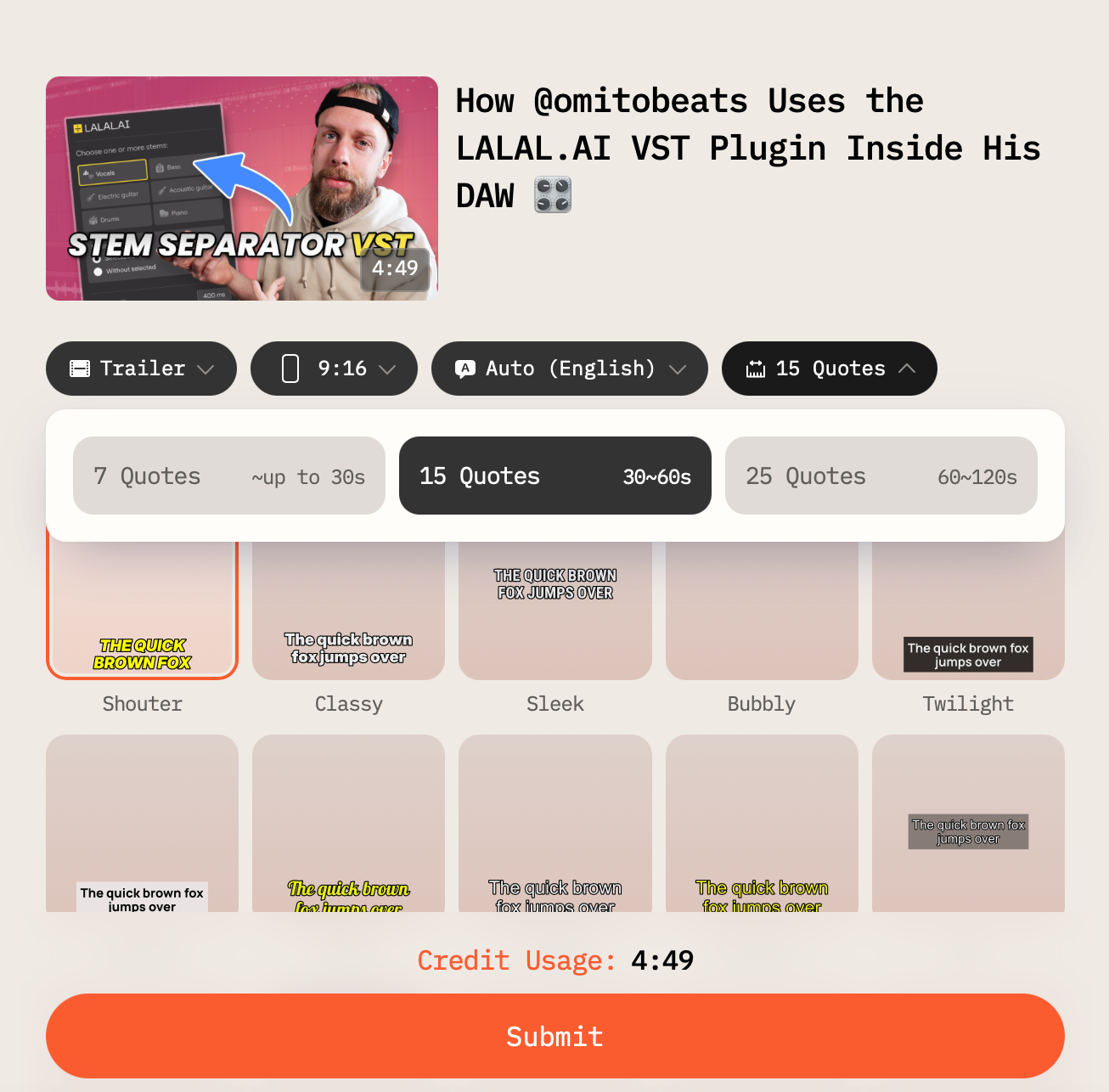
After you select all the settings, submit the video.
5. Review your draft clips.
You get a list of candidates for polishing in the built-in AI Video Cut editor, posing them as is, or downloading them for editing in any other software.
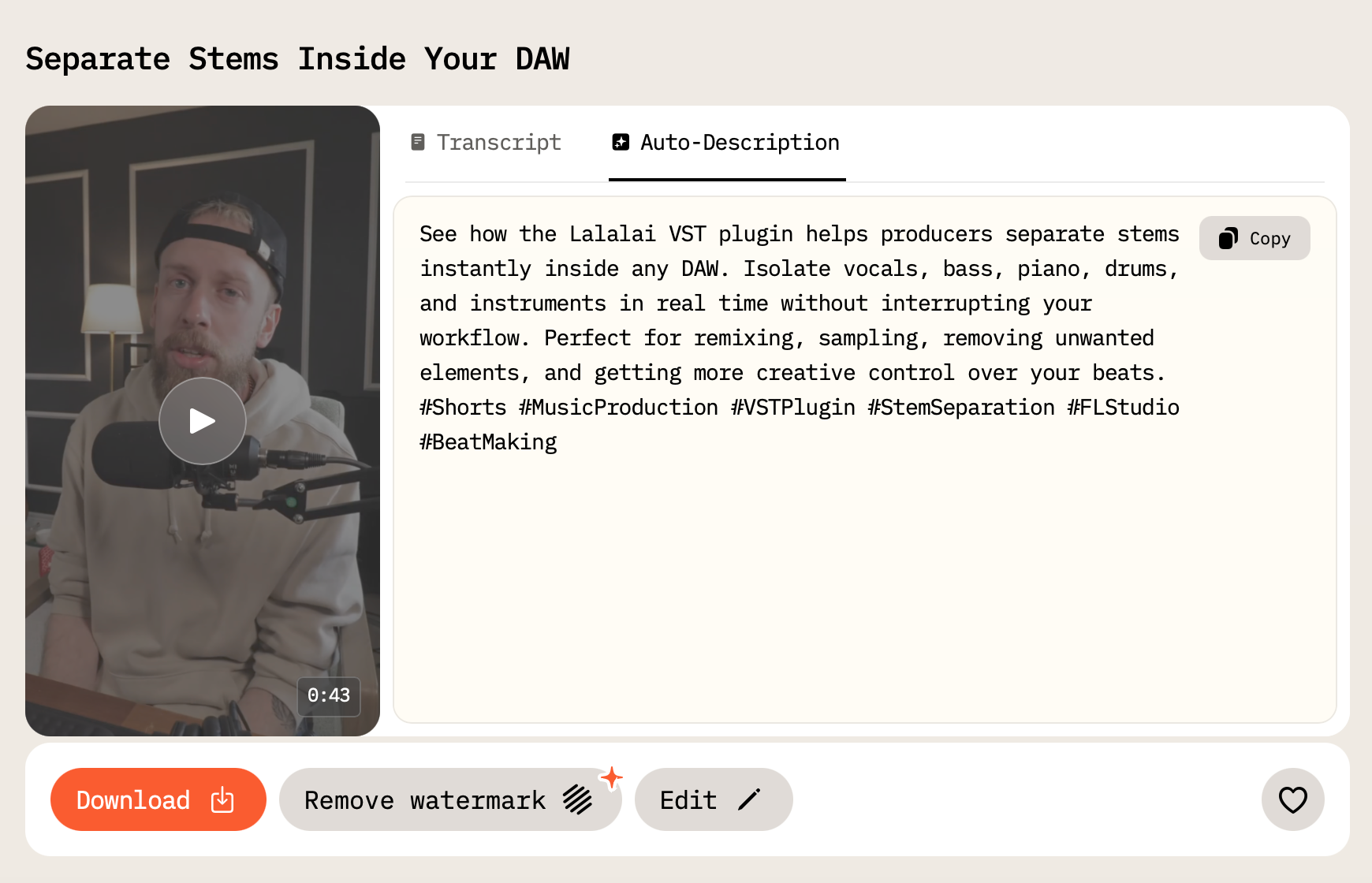
Tip: You can process the same raw footage with another output type by clicking the Regenerate button and choosing the new style.
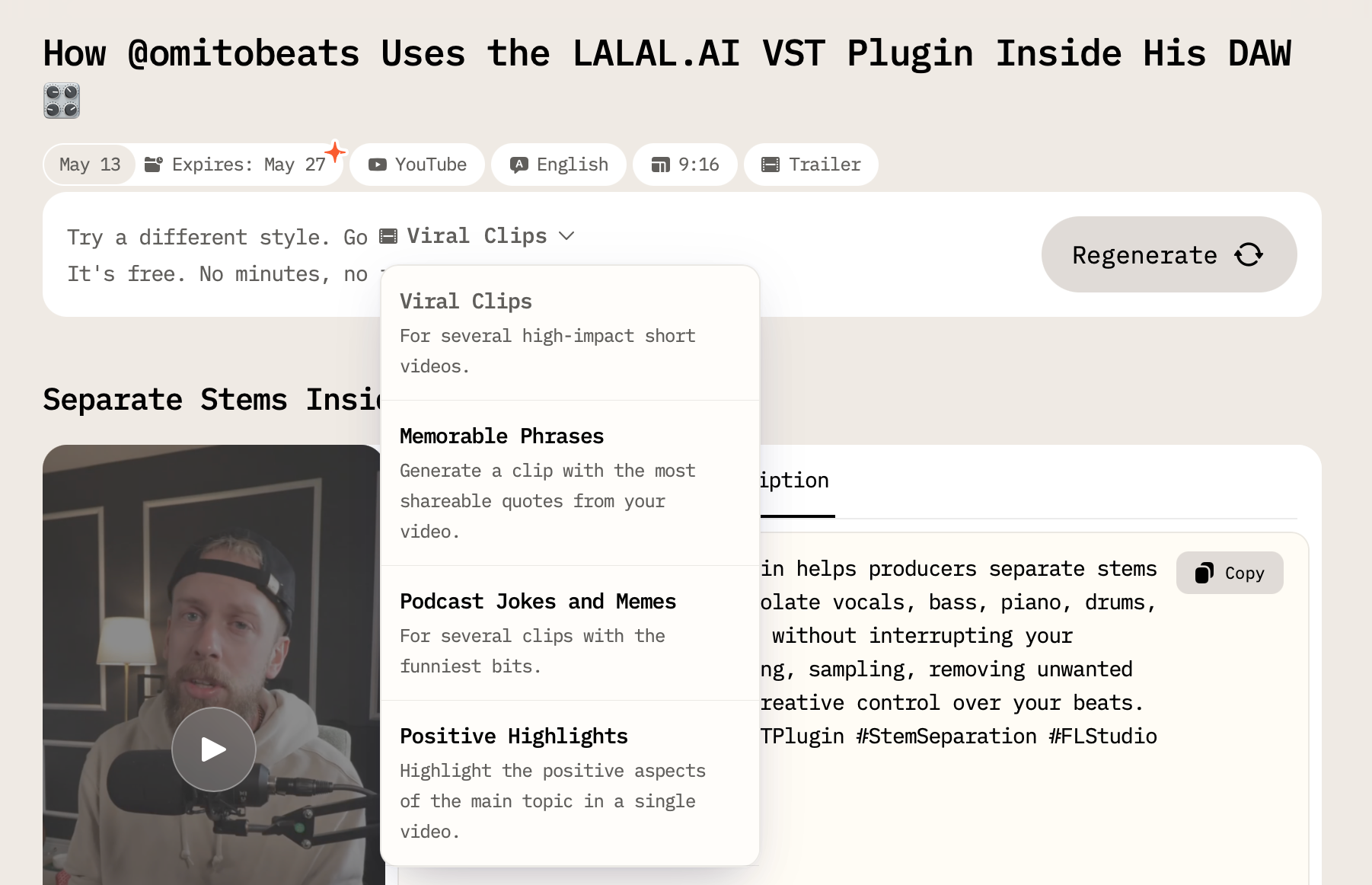
6. Select and prioritize.
Pick the ones that fit your content plan. They already contain hashtags and a caption that you can copy and paste on social media when sharing the post.
7. Polish or delegate.
Add captions or leave the captions AI Video Cut adds, adjust cuts, apply brand templates — yourself or handed off to an editor with clear scope.
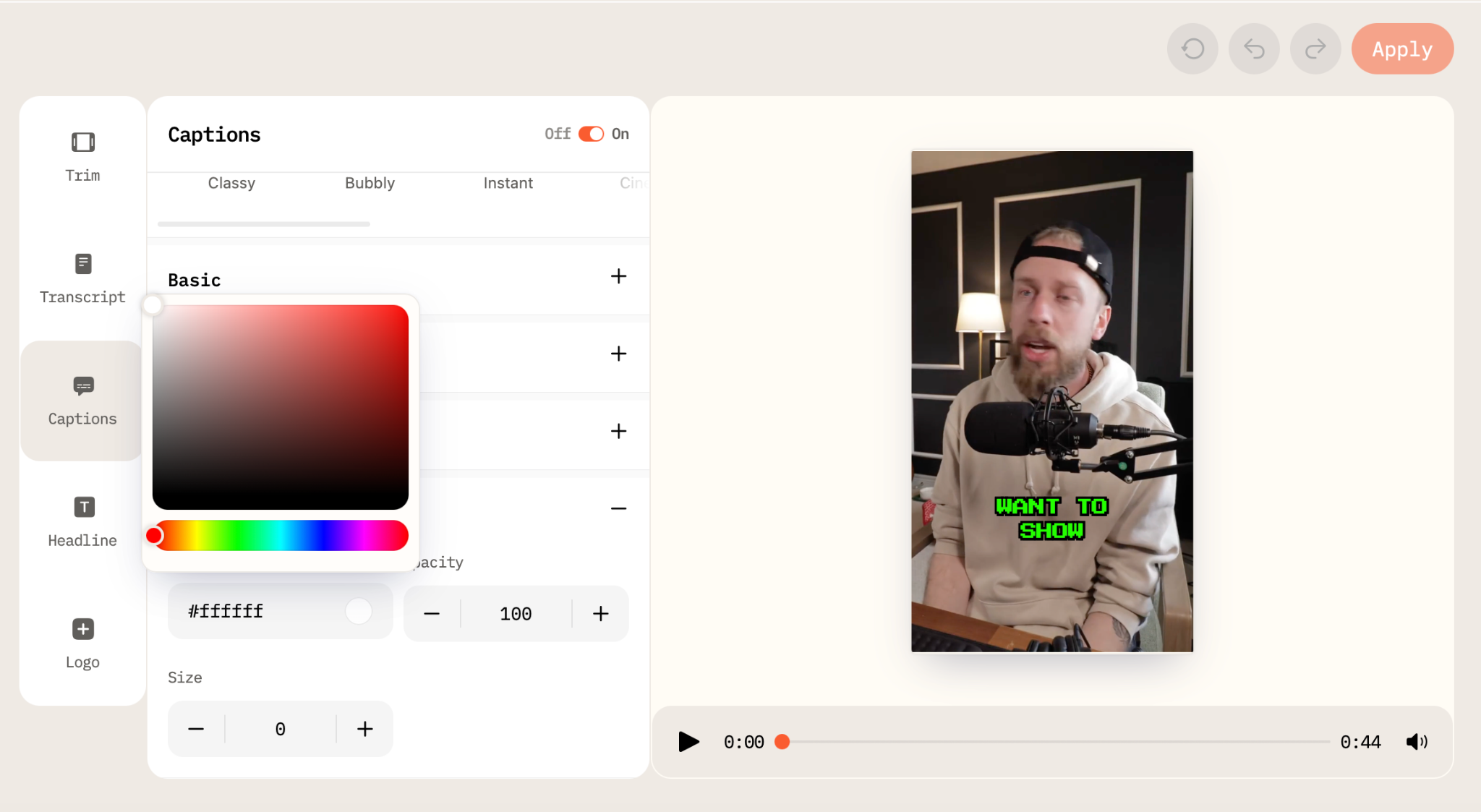
In AI Video Cut, you can trim the videos, edit its transcript removing unwanted words or video parts, and tweak captions style.
8. Download the short videos.
To post, schedule, or batch for the week.
The bottleneck, which is hours of watching raw footage, is gone. What replaces it is a fast, focused review of candidates that have already been pre-screened for potential.
Stop Letting Your Raw Footage Die on a Hard Drive
Every webinar you've run, every interview you've filmed, every coaching session, panel discussion, product demo, and live stream you've had—that's not an archive but a content library that hasn't been opened yet.
The conventional wisdom is finishing your video first, then repurposing it. But the creators and agencies pulling ahead aren't waiting for it to be finished. They're starting with raw, using AI to find the signal in the noise, and turning "I don't know where to begin" into a stack of draft clips before lunch.
AI Video Cut was built for exactly this. Your raw footage isn't a problem to solve before you can start. It's where you start.
AI notice: This feature uses AI technology to process your video files.