
How to Turn a YouTube Video into Facebook Reels with AI Video Cut
Here's how to make this fast and clean transition without creating a video from scratch.

AI notice: This feature uses AI technology to process your video files.

Last updated: July 2026
Simply put, to turn a YouTube video into a Facebook Reel, paste the YouTube URL into a tool like AI Video Cut, let the AI pick the best moment (or choose your own clip), crop it to 9:16, add captions, export, and upload it to Facebook as a Reel.
If you’ve spent hours editing a YouTube video, researched, recorded, cut, and polished it and, once it's published, you feel like the job’s done, this article is for you. While today’s online ecosystem is video-first, that same piece of content has the potential to do more than sit on a single platform. One of the easiest ways to extend your reach is to convert YouTube videos into short, vertical clips for Facebook Reels.
More than ever, creators, coaches, small business owners, and marketers are looking for quick wins with the content they already have.
Here's how to make this fast and clean transition without starting from scratch.
Why Even Bother Reusing YouTube Videos as Facebook Reels?
Short-form video keeps growing, and Facebook Reels are central to that. Facebook Reels are watched more than 200 billion times per day across Facebook and Instagram combined, a figure Meta shared on its Q3 2025 earnings call, and Reels posts get roughly 22% higher engagement than standard video posts on Facebook.
Many creators sit on long-form videos that only ever see the light of day on YouTube. Turning those videos into short clips doesn't just give them a second life as it exposes them to a different audience. Meta's Reels system is built to surface content beyond a creator's existing followers, which is part of why Reels have become one of the main organic-discovery formats on both Facebook and Instagram.
What Makes a Facebook Reel Work?
If you think that repurposing a YouTube video as a Facebook Reel is simply chopping it down, it’s not exactly true. Facebook Reels thrive on immediacy, so the first few seconds of your short clip matter more than ever! If a viewer stops scrolling, the video doesn’t get seen, period.
Here are few more things to keep in mind (if you're going to choose the manual Reels creation path):
- Length is flexible now, but shorter still tends to perform well. In June 2025, Meta officially removed the 90-second cap and all format restrictions on Facebook Reels, so every video upload is now published as a Reel, regardless of length. That said, industry benchmarking in 2026 still shows shorter clips (roughly 15–60 seconds) generating strong completion and engagement rates, so "no limit" doesn't mean "no reason to keep it tight."
- Vertical (9:16) is still the recommended format for full-screen mobile viewing, even though Meta no longer enforces it as a hard rule.
- Captions matter more than sound design. A commonly cited industry estimate puts the share of Facebook video watched without sound at around 85%, a figure that's persisted across several independent reports over the years.
- Don't over-edit. Polish it, but don't sterilize it because Reels reward a moment that feels immediate, not overproduced.
There's no single formula for a viral Reel. But one clear moment or message from the source video, like a strong quote, a concise tip, a joke, a genuine reaction is usually what travels.
Facebook Reels Specs at a Glance (2026)
| Spec | Recommendation / Limit |
|---|---|
| Aspect ratio | 9:16 (vertical) recommended for full-screen mobile playback |
| Resolution | 1080 × 1920 px recommended |
| Video length | No official cap since June 2025 (Meta removed the previous 90-second limit); 15–60 sec still performs best for engagement |
| File format | MP4 or MOV |
| Max file size | Up to 4 GB |
| Captions | Strongly recommended — most viewers watch with sound off |
| Audio | Facebook's built-in commercial music library is available for organic Reels |
From YouTube to Facebook Reels: How to Turn One into Another
What if we tell you that you don’t need to download editing software or wrestle with frame sizes to make this work? Tools like AI Video Cut do most of the work for you.
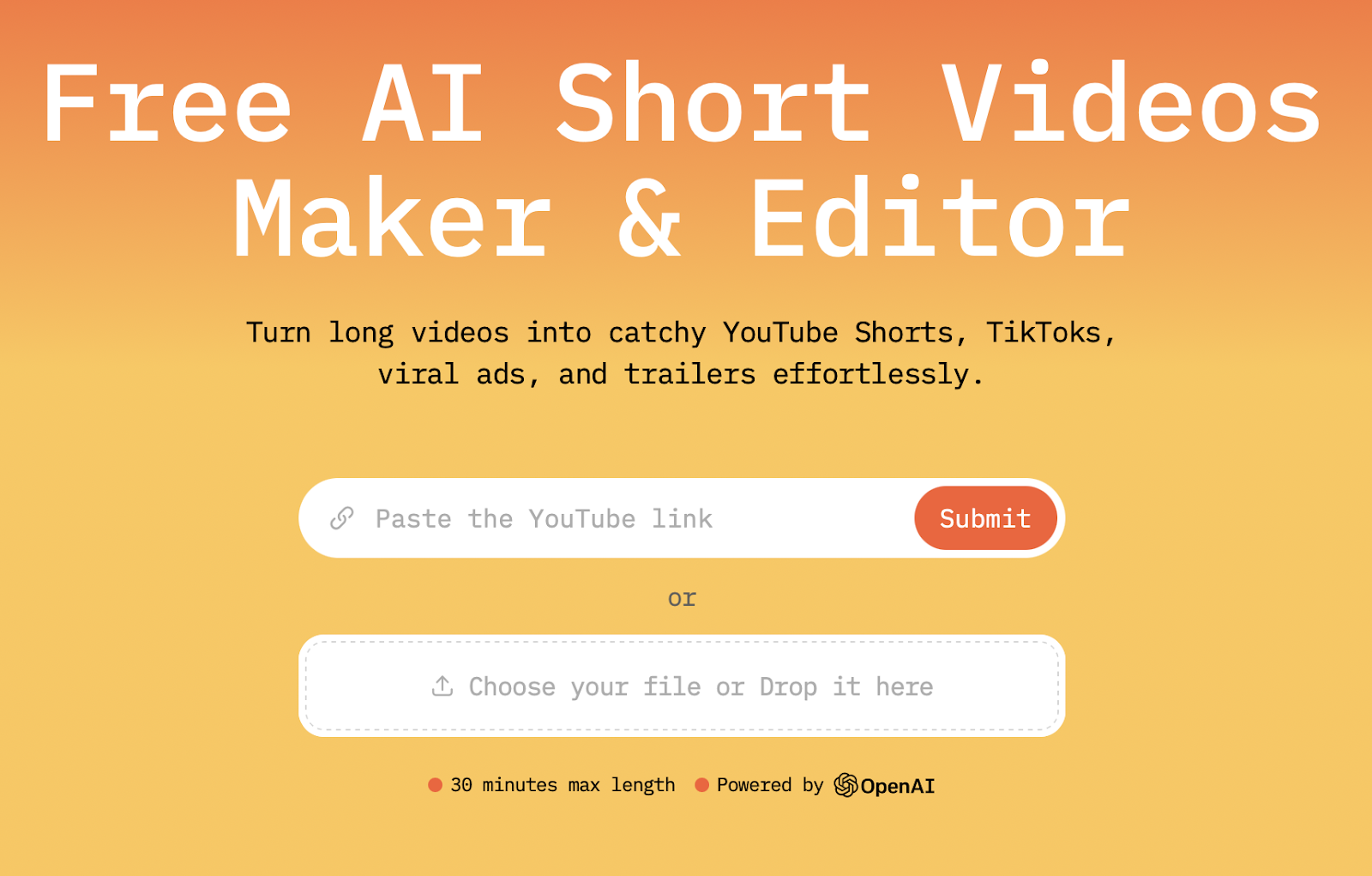
Step 1: Copy and paste your video’s YouTube URL into the tool.
So that AI Video Cut could pull the video directly without needing to upload a file.
Step 2: Let AI detect highlights (or pick your own).
AI Video Cut scans for high-engagement moments like jokes, potential viral moments, and other stuff depending on the prompt you choose. Say, you’re choosing a Product Review prompt. In this case, our tool will detect moments that describe values, pros, and cons of the product and compile a few short videos that contain only them.
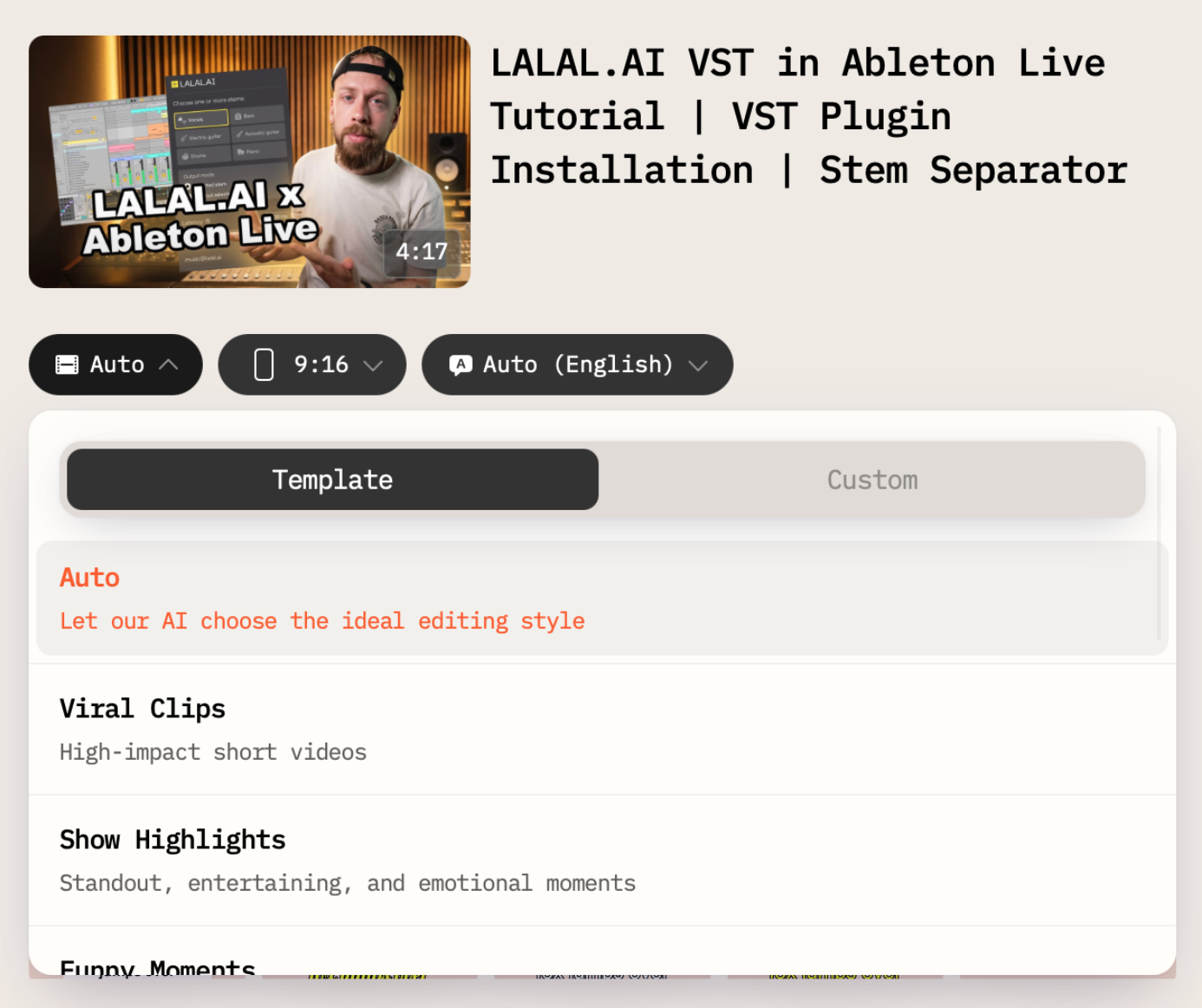
Step 3: Choose the 9:16 aspect ratio.
AI Video Cut service automatically adjusts framing and scales the video to fit the 9:16 ratio. But you can change the crop if needed to keep the focus where it belongs.
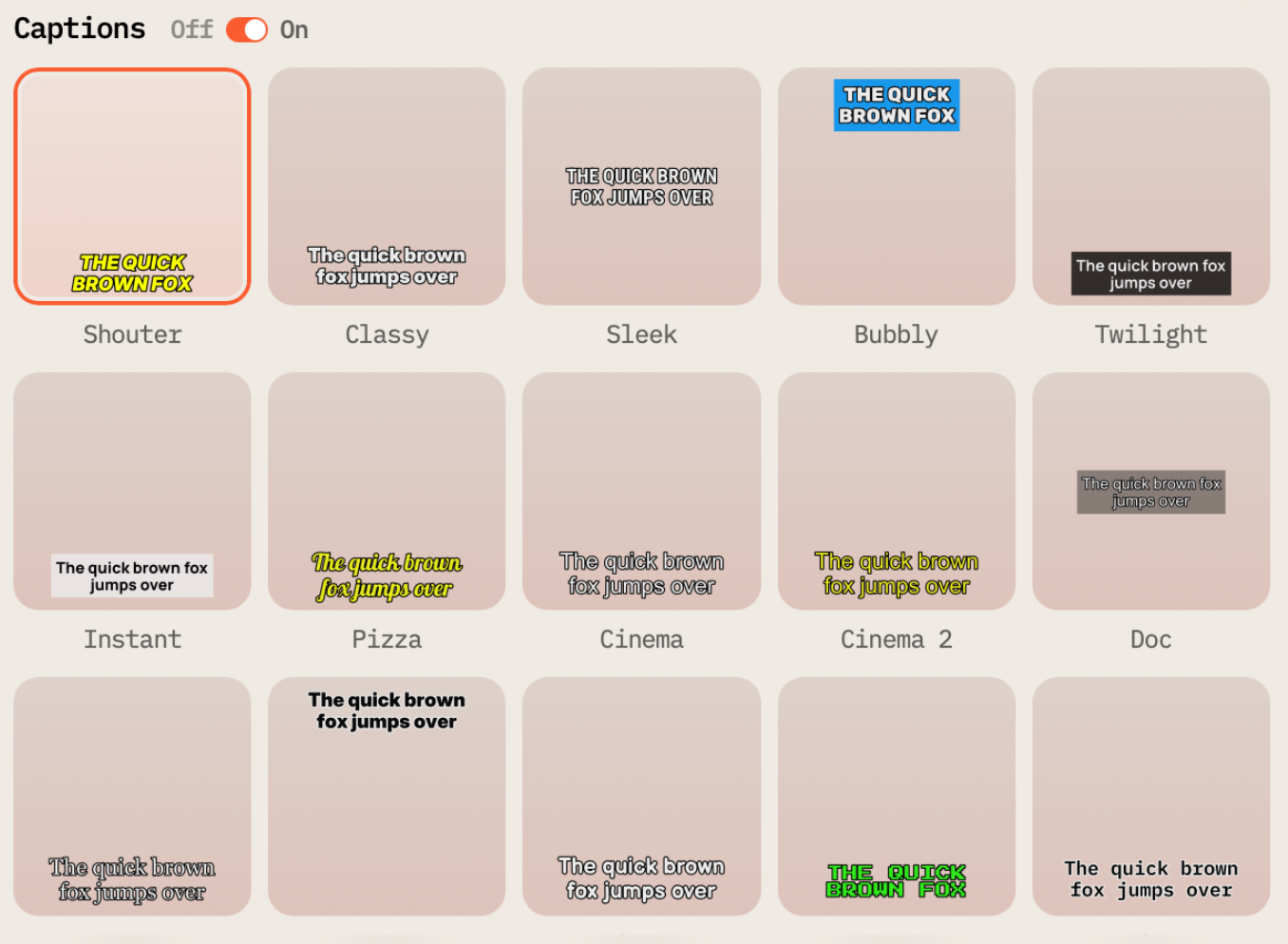
Step 4: Add subtitles and export.
As we’ve already mentioned, most viewers don’t watch Reels with sound on, at least on Facebook. This is why adding auto-generated captions would make your video more accessible and easier to follow. Once you're done, export the final clip.
Step 5: Upload to Facebook.
You can post your new clip directly from your phone or via Meta’s Creator Studio. Don’t forget to include a caption with a hook or a question. Anyway, something that invites engagement.
Tips & Best Practices for Better Reach
Not every video will take off immediately; sometimes, it might take quite a lot of time. Nonetheless, there are a few small improvements that can help your Reels get noticed:
- Use music from Facebook’s built-in audio library
- Post when your audience is most active (you can figure that out in the in-app analytics tool).
- Add a few hashtags (but not a wall of them!)
- Keep testing different types of clips from your content library
- Always add captions. With a large share of viewers watching muted (an estimated 85% of Facebook video is watched with the sound off), captions are one of the few levers that reliably affects watch time.
And remember: not every Reel will make you go viral; you’re doing this to be visible.
What Kinds of YouTube Videos Work Better as Facebook Reels?
Not every YouTube video has the same potential on Facebook since audiences and algorithms differ across platforms. A few formats tend to travel especially well when clipped:
- Educational content like tips, how-tos, listicles, "did you know" moments. Easy to isolate, easy to repackage.
- Interviews: a single sharp question-and-answer exchange often works as a standalone clip.
- Vlogs might bring funny or heartfelt moments that don't need the surrounding context.
- Webinars and livestreams: these two should be a concise insight or call to action mined from a longer session.
YouTube Content Repurposing Means One Video, Many Uses!
The indisputable power of content repurposing is that it doesn’t have to be a one-and-done affair. The right tools and a bit of intention do wonders, and your YouTube videos can keep working long after they’ve gone live. Facebook Reels offer a low-effort yet high-reward opportunity to do just that.
AI Video Cut takes the heavy lifting out of the process, so you can spend less time editing and more time creating.
Try it yourself: Pick a video from your channel, run it through AI Video Cut, and post your first Reel. One piece of content, multiple platforms, and more people reached!
FAQ: Turning YouTube Videos into Facebook Reels
Can I legally repost my own YouTube video as a Facebook Reel?
Yes, as long as you own the rights to the content (or have permission from the rights holder). Reposting your own YouTube video as a Facebook Reel is a standard repurposing practice, not a copyright issue, since you're the original creator or license holder.
How long can a Facebook Reel be in 2026?
There's no official length limit anymore. Meta removed the previous 90-second cap in June 2025, and all Facebook video uploads are now published as Reels regardless of length. In practice, shorter clips (roughly 15–60 seconds) still tend to get the strongest engagement and completion rates.
What's the best aspect ratio and resolution for a Facebook Reel?
9:16 vertical at 1080×1920 pixels is the recommended format for full-screen mobile playback, even though Meta no longer strictly enforces it.
Do I need captions on a Facebook Reel?
Yes, in almost all cases. A Reel that depends on audio to make its point will lose most of its potential audience.
Do I need to download or upload a video file to convert a YouTube video into a Reel?
No, with a tool like AI Video Cut, you paste the YouTube URL directly and the tool pulls the video without requiring a manual file upload.
Will a Facebook Reel reach people who don't follow my Page?
Yes. Reels are designed by Meta to surface content to non-followers as part of Facebook's and Instagram's discovery feeds, which is a key reason repurposed content can find a new audience beyond your existing subscriber base.
What's the maximum file size for a Facebook Reel upload?
Up to 4 GB is the commonly cited limit for Facebook video uploads, though Meta can adjust this without notice, so it's worth checking your account's current limits before a large upload.
AI notice: This feature uses AI technology to process your video files.