
How AI Video Cut Automates Work of Social Media Agencies & Reduces Their Costs
How AI Video Cut automates short video production for social media agencies and what that means for turnaround times, editing costs, and team capacity.

AI notice: This feature uses AI technology to process your video files.

Short-form video has become the primary currency of social media. Thus, for agencies managing multiple clients across TikTok, Instagram Reels, YouTube Shorts, and X, the demand is relentless and accelerating. The question isn't whether to produce more video. It's how to do it without burning through budget or burning out your team.
This article explains how AI Video Cut, an AI-powered clip maker built for agency workflows, automates the most time-consuming parts of short video production and what that means for your operating costs.
The Core Problem: Social Media Agencies Are Bottlenecked by Video Production
Short-form video is no longer a nice-to-have. According to Vidico, global short-form video ad spending hit $111 billion in 2025 and is projected to reach $145.8 billion by 2028. More than one-third of marketers now allocate more resources to short-form video than to any other type of social media content, as Wyzowl says.
For agencies, this translates into a concrete operational problem: the volume of video requests is growing faster than production capacity.
The economics of manual video production are unforgiving, though. Producing a single short social media clip professionally (factoring in editing time, captioning, reformatting for multiple platforms, and revisions) costs between $100 and $500 per clip when working with a freelance editor, and $1,500 to $5,000 per video when going through a production agency (source: Cutjamm 2025 Salary & Rates Survey). An in-house full-time video editor in the US earns around $59,500 per year, according to the Bureau of Labor Statistics, and a single editor can only handle so many clips in a week.
The editing work itself is slow by design: professional editors typically spend 2–4 hours per finished minute of video, depending on complexity. A 60-minute client recording doesn't get turned into 10 Reels in an afternoon. Not manually.
At the same time, AI tools have started changing the cost structure at a structural level. Research shows that AI tools have reduced content creation costs by 30–40% for agencies that have adopted them. And AI-powered auto-editing workflows can save 60–90% of editing time compared to manual processes, according to Meticulous Research.
The agencies capturing those savings are the ones investing in the right tooling.
What Is AI Video Cut?
AI Video Cut is an AI-powered clip maker designed for teams that need to produce a high volume of short-form video content from long-form source material. It's built around one core workflow: upload a long recording, and the AI extracts the most engaging moments, captions them, and exports them as platform-ready clips.
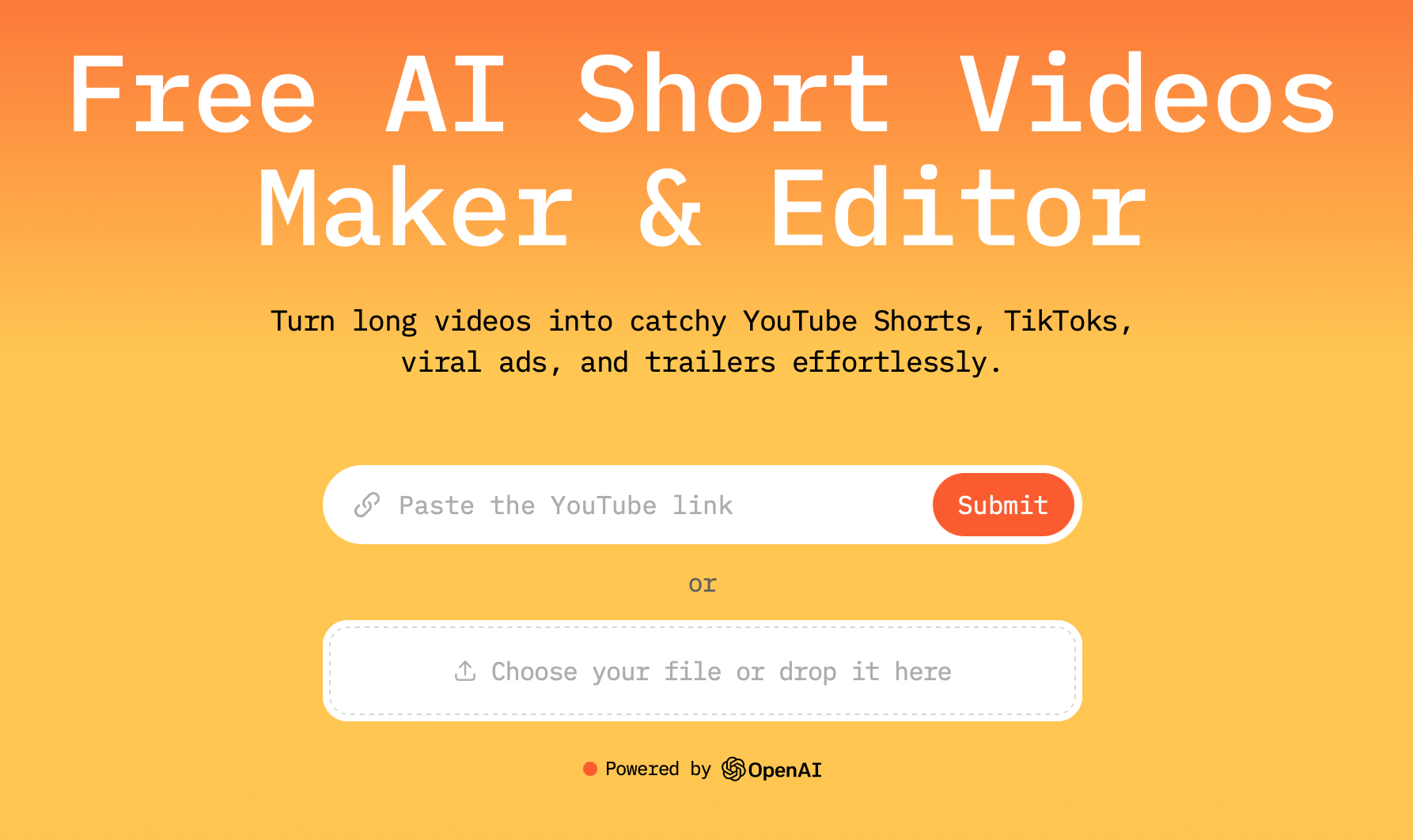
It's used by social media managers, agencies, digital marketers, content creators, and anyone whose work involves turning raw footage into publishable short video at scale.
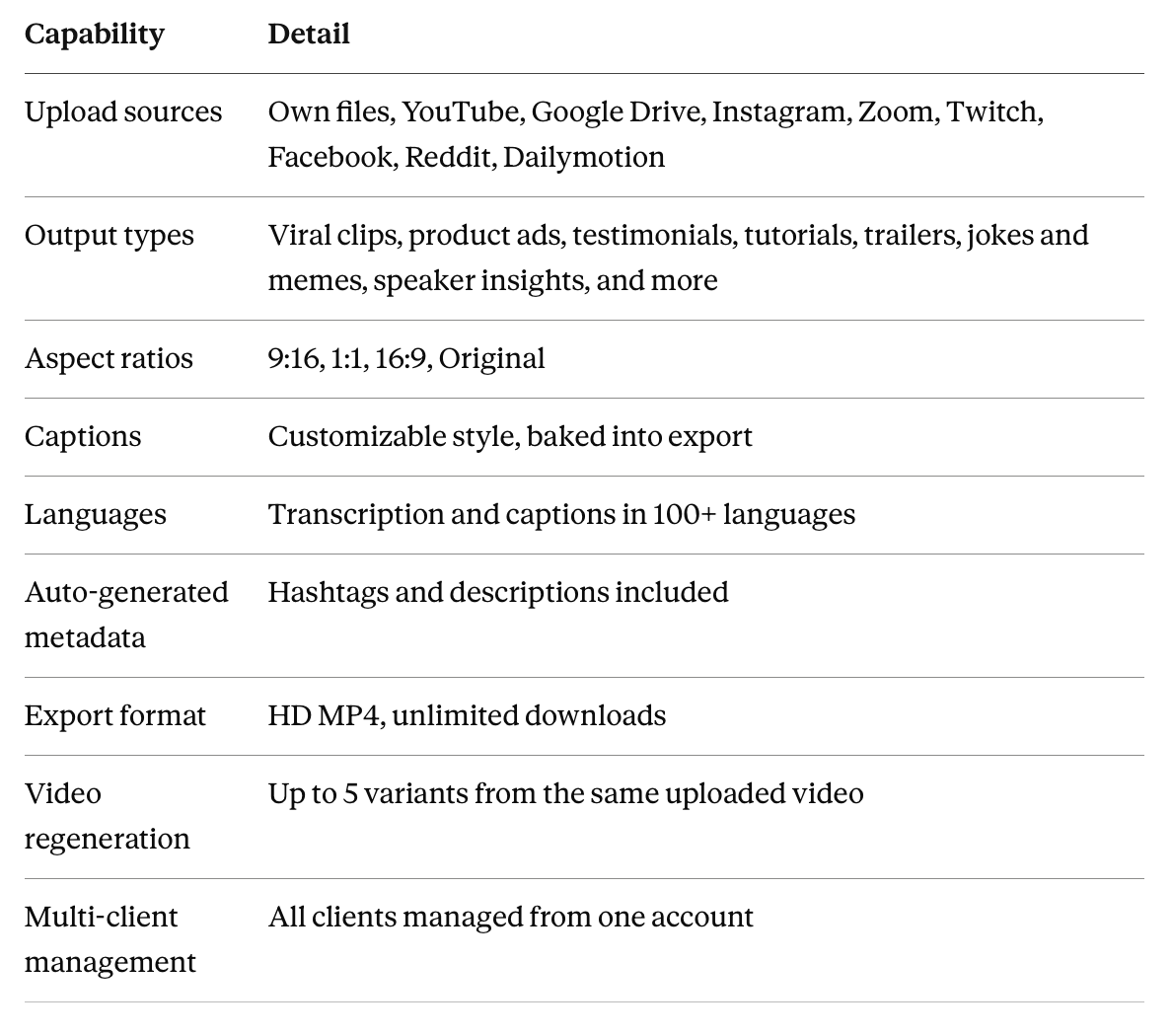
Key capabilities at a glance
How AI Video Cut Fits Into an Agency's Daily Workflow
The process has four steps:
- Upload the client's long-form video. Drop a file or paste a link from YouTube, Google Drive, Zoom, or any supported source. Files up to 4GB and up to 3 hours in length are supported on paid plans.
- Choose an output type matched to the brief. Select from ready-made prompt types or write a custom prompt to match the specific creative direction the client has requested.
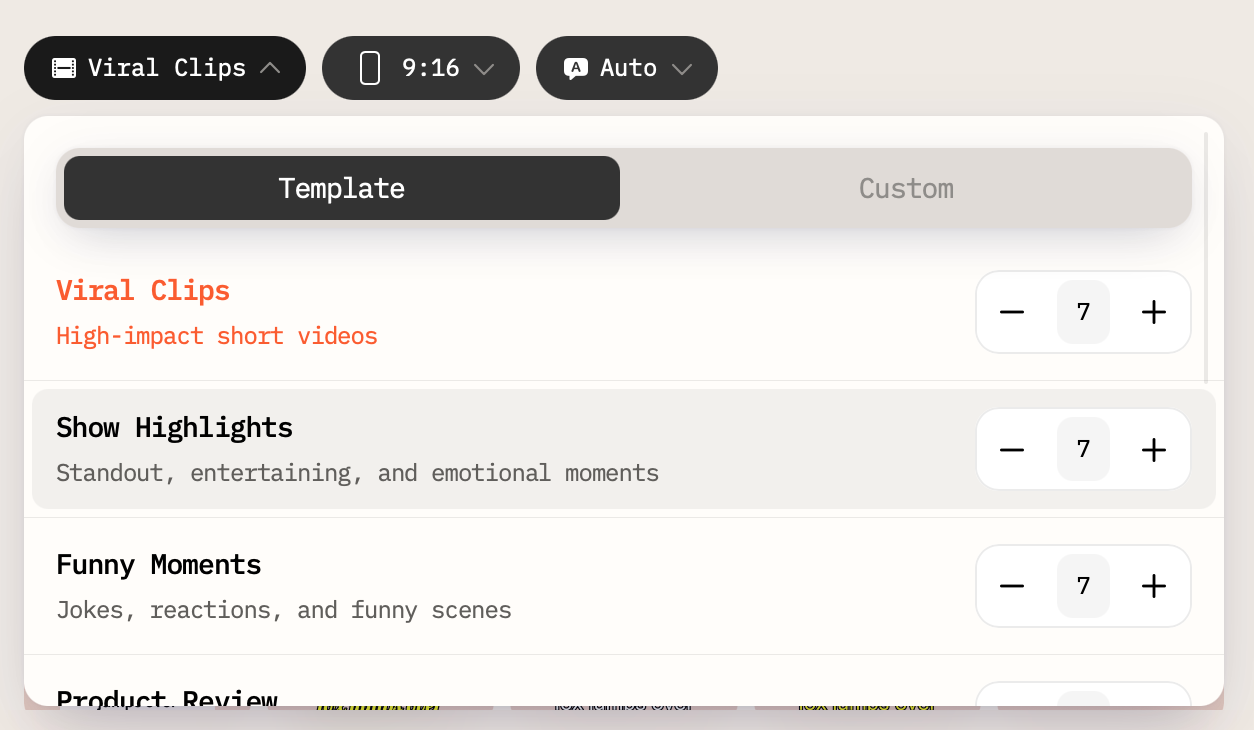
- Set format, caption style, and aspect ratio. Choose from 9:16, 1:1, or 16:9. Adjust caption styling.
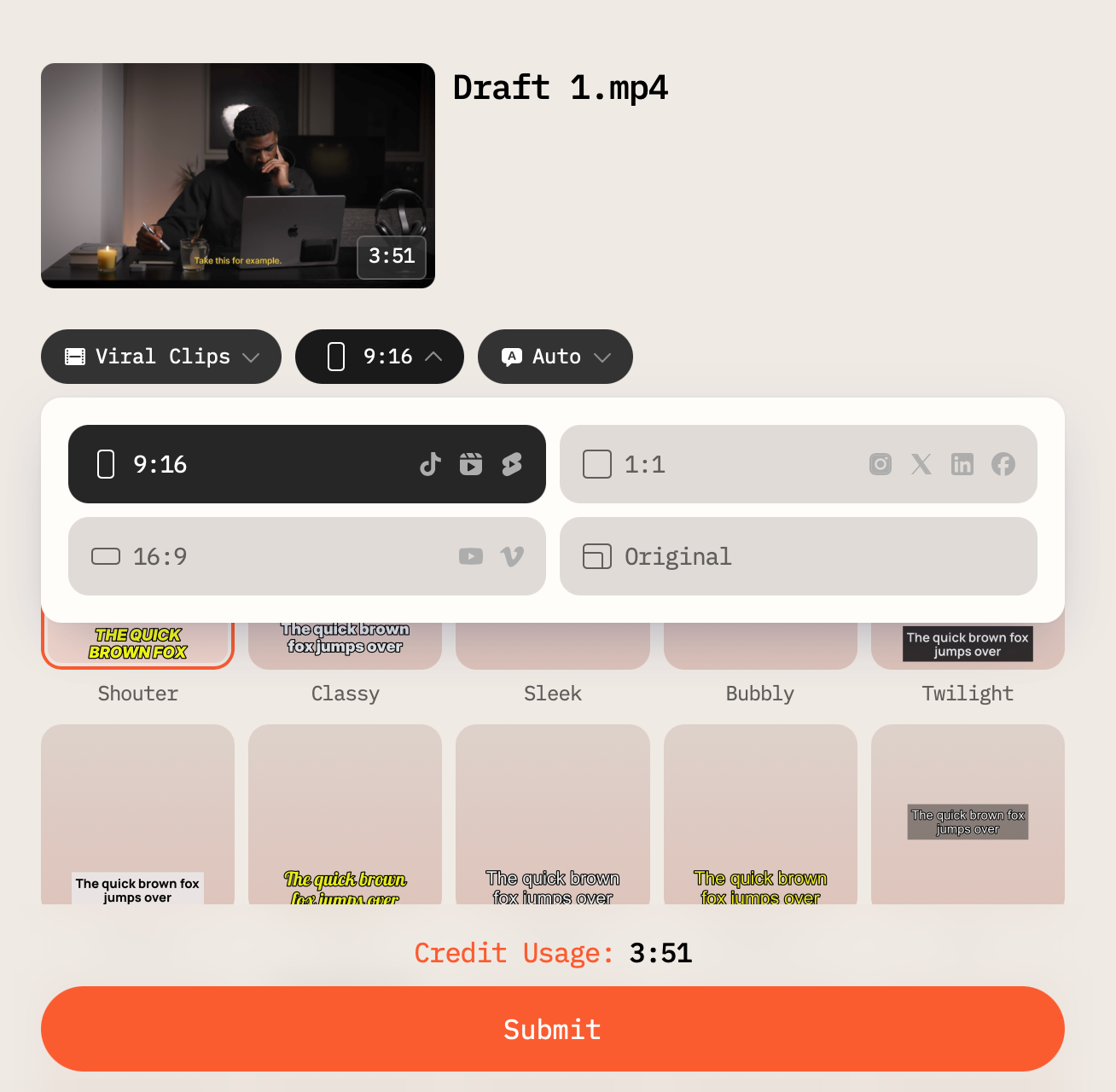
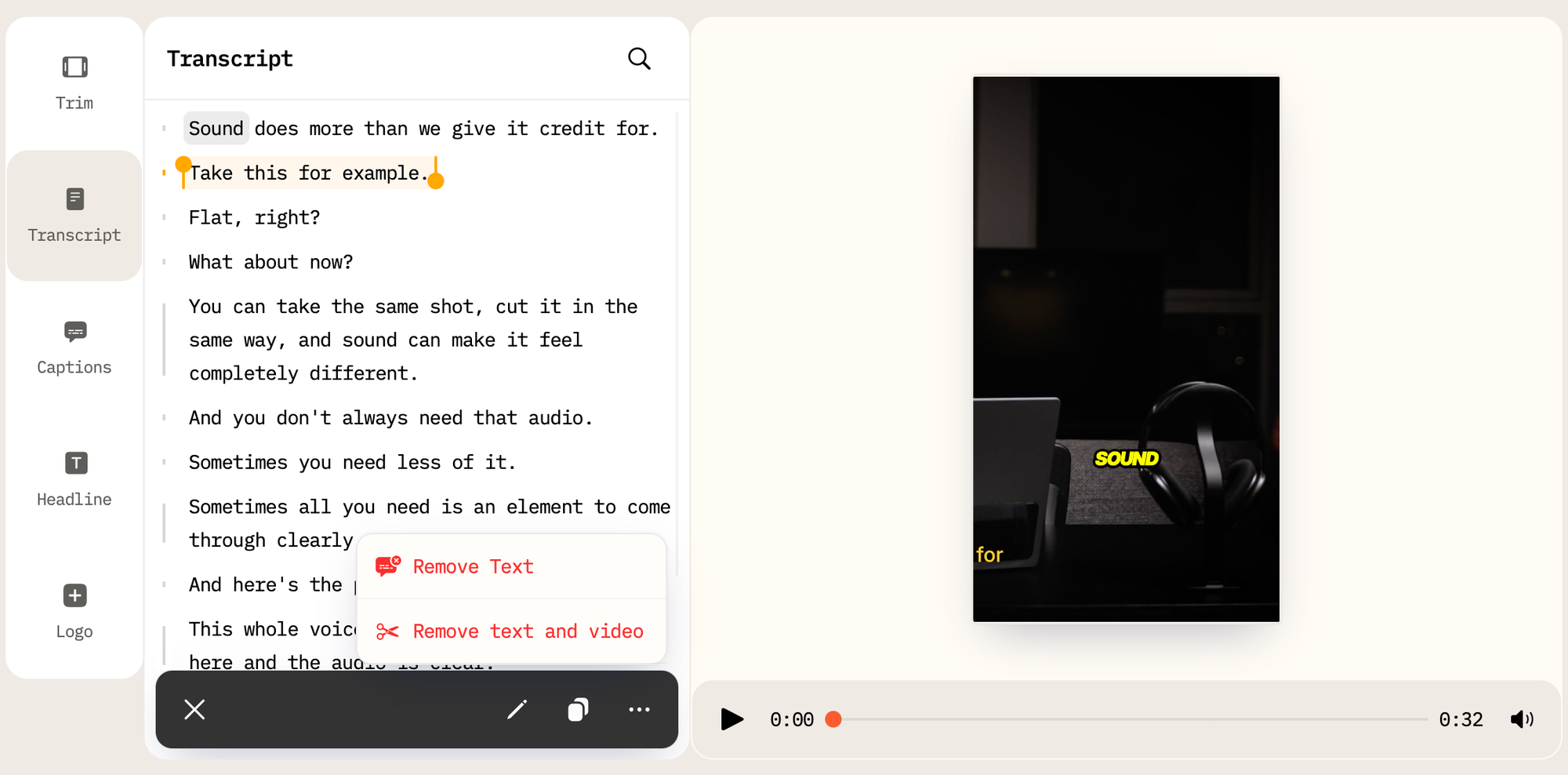
- Export and deliver. Download HD MP4s with captions embedded. Hashtags and descriptions are auto-generated and ready to include in the delivery. The clips are publish-ready for TikTok, Instagram, YouTube Shorts, and X.
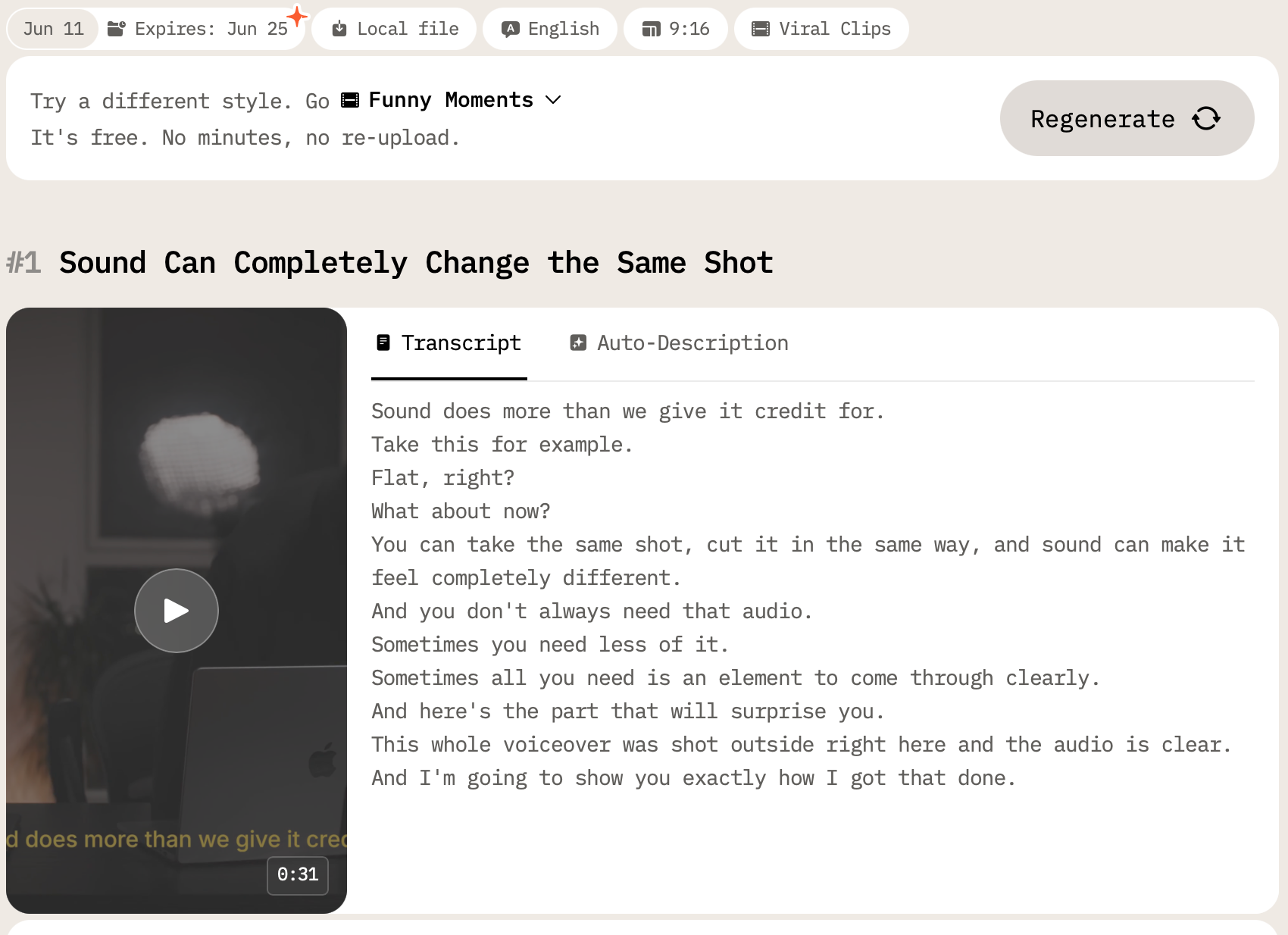
Multiple clips can be generated from a single upload in one session. With regeneration, the same source video can produce up to 5 different cut versions (on paid plans) with different moments, different output types, different caption styles, without re-uploading.
4 Agency Problems AI Video Cut Solves Directly
1. Tight deadlines that compress delivery windows
A client drops a 60-minute conference recording on Friday and needs 10 captioned Reels formatted for Instagram by Monday. With manual editing, that's a weekend sprint that either costs overtime fees or doesn't happen. With AI Video Cut, the upload, generation, and export sequence compresses that work to hours, not days.
2. Accumulating clip request backlogs
Short-form video demand doesn't arrive in neat batches. Clients want a clip of this moment, then that interview segment, then a teaser for next week's event. Traditional queues create backlogs. AI Video Cut lets one person produce multiple clips from a single session, clearing requests as they come in rather than scheduling them into a production calendar.
3. Multi-platform formatting overhead
TikTok wants 9:16, a client's LinkedIn post works better at 1:1, while YouTube Shorts is 9:16 again, but paced differently. Reformatting and re-exporting the same content for each platform manually adds hours per client per week. AI Video Cut handles all aspect ratios from the same source clip in seconds.
4. Scaling headcount alongside client roster
Adding three new retainer clients shouldn't require hiring two new editors. With AI Video Cut, the same person who handles current clients can absorb the additional video volume without a proportional increase in labor cost. One person with AI Video Cut can handle the output that would otherwise require a dedicated video team.
How AI Video Cut Reduces Agency Costs: A Practical Breakdown
Time savings
The industry benchmark for manual editing is 2–4 hours of work per finished minute of video. A 90-second Reel with captions, multiple revisions, and platform reformatting can easily consume 3–5 hours of an editor's time. AI Video Cut compresses that to a fraction.
Research in the field reports that AI streamlines video production by saving around 34% of time spent on standard editing tasks. In more automated clip-generation workflows, time savings of 60–90% over manual processes have been documented by Meticulous Research.
For an agency processing 40 short clips per month, the difference between 3 hours and 20 minutes per clip is approximately 107 hours of labor recovered, every month.
Labor Cost Comparison
| Scenario | Cost per clip (approx.) |
|---|---|
| Freelance editor (entry-level) | $50–$150 |
| Freelance editor (mid-level) | $200–$500 |
| Agency production | $1,500–$5,000 per video |
| AI Video Cut (Starter plan, 1,800 min/year) | ~$0.07/min of source video |
Freelance rates for short social media clips typically run $100–$500 per finished piece depending on editor level and complexity. AI tools have driven per-video cost reductions of 80–95% in high-volume short-form production workflows according to market analysis. The subscription cost of AI Video Cut — $10/month on the Starter plan — covers the equivalent of what a single freelance edit might cost on its lowest tier.
Scalability without proportional cost growth
The traditional agency model has a near-linear relationship between client volume and staff cost. Each new client means more editing hours, which means more freelancer invoices or more headcount. AI Video Cut breaks that relationship. The marginal cost of processing an additional client's video content is the subscription plan minutes, not an editor's day rate.
AI-powered editing features have been documented to increase team productivity by 47% in production workflows, enabling significantly faster project completion than manual methods.
AI Video Cut Pricing
| Plan | Monthly cost (annual billing) | Minutes/year | Best for |
|---|---|---|---|
| Free | $0 | 50 (one-time) | Testing the workflow |
| Starter | $10/month | 1,800 | Small agencies, 1–3 clients |
| Pro | $12.50/month | 3,600 | Growing agencies, 4–8+ clients |
Minutes are calculated based on the duration of uploaded source video, not the number of clips generated. This means generating 10 clips from a 60-minute upload costs 60 minutes of plan quota, not 600.
Unused minutes reset each billing cycle. Files are stored for up to 6 months on paid plans, so clips can be revisited and regenerated without re-uploading. Volume pricing is available on request for agencies with higher output needs.
Plus, there's no watermark on Starter or Pro plans, a requirement for professional client deliverables. The free plan includes a watermark, which is useful for evaluating the tool before committing to a paid tier.
Frequently Asked Questions
Can one account manage multiple clients?
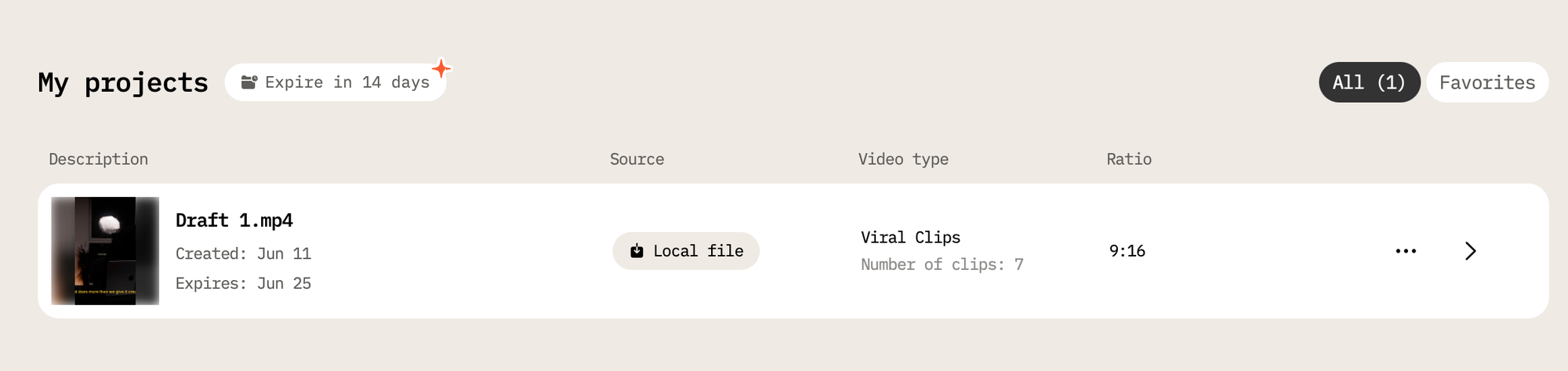
Yes. Videos for different clients can be uploaded and organized within the same account as projects. All files are stored for up to 6 months on paid plans, so previous client uploads remain accessible for regeneration and re-export.
How many minutes of video can we process per month?
The Starter plan includes 1,800 minutes per year; the Pro plan includes 3,600 minutes per year. Minutes are calculated based on the duration of the uploaded source video, not the number of clips generated. Unused minutes reset each billing cycle.
What if the client's video isn't in English?
AI Video Cut supports transcription and captions in over 100 languages. The AI selects the most engaging moments regardless of the source language.
Can we produce multiple different clips from the same video?
Yes. The regeneration feature allows different output types, caption styles, or custom prompts to be applied to the same uploaded video without re-uploading. Paid plans allow up to 5 regenerations per video. Some output types also generate multiple clips from a single input in one session.
Will client deliverables have a watermark?
No watermark on Starter and Pro plans. The free plan includes a watermark, which is appropriate for testing but not for client work.
What video sources can we upload from?
Supported sources include own files, YouTube, Google Drive, Instagram, Zoom, Twitch, Facebook, Reddit, and Dailymotion.
What aspect ratios are supported?
9:16 (TikTok, Reels, Shorts), 1:1 (Instagram feed, LinkedIn), 16:9 (YouTube, desktop), and Original.
AI Video Cut vs. Manual Video Editing: A Side-by-Side Comparison
| Dimension | Manual editing | AI Video Cut |
|---|---|---|
| Time per clip | 2–4 hours (editor benchmark) | Minutes |
| Cost per clip | $100–$500 (freelancer) | From $0.07/min of source video |
| Multi-platform export | Manual resize per format | Automatic, all aspect ratios |
| Captioning | Separate step or service | Built-in, 100+ languages |
| Scalability | Bounded by editor availability | Scales with plan quota |
| Turnaround | Days | Hours |
| Consistency across clips | Depends on editor | AI-consistent style |
Who Should Use AI Video Cut at a Social Media Agency
Social media managers who produce video content alongside strategy and community work and don't have dedicated editors on call for every request.
Account managers who need to deliver on short notice when a client sends raw footage and expects clips the next day.
Agency founders and solo operators managing multiple client accounts without a full production team behind them. The tool's single-account multi-client structure is designed for exactly this use case.
Digital marketers running paid campaigns who need fast iteration on ad creatives across different formats and platforms without going back to an editor for every variant.
Bottom Line
Short-form video demand is structurally higher than it was two years ago and it continues to grow. Agencies that are still processing every clip through a manual editing workflow are absorbing a cost that their competitors are automating away.
AI tools have already reduced content creation costs by 30–40% for marketing teams that have adopted them. The question for agencies isn't whether AI-assisted video production is viable, it demonstrably is. The question is which tool fits the workflow.
AI Video Cut is purpose-built for the agency use case: high-volume, multi-client, deadline-driven short-form video production from long-form source material. The free plan allows any agency to test the workflow on real client content before committing to a subscription.
AI notice: This feature uses AI technology to process your video files.