
From 1 Long Lesson to 10 Viral Clips: How to Repurpose Educational Content with AI Video Cut
Short videos are no longer optional for creators. Learn how to turn one long lesson into 10 short videos for TikTok, Reels and Shorts in minutes.

AI notice: This feature uses AI technology to process your video files.
If you are a creator making online courses, video lessons, or webinars, you know this struggle. You have plenty of long-form lessons and tutorials that are packed with value, but attention spans on social media are short. To ensure your content is seen, shared, and remembered, it is crucial to engage with your audience in short formats on platforms such as TikTok, Instagram Reels, and YouTube Shorts.
Editing such lessons into clips requires effort: you have to re-watch your videos several times, make manual cuts, and choose the most engaging parts. Alternatively, you can pay an outsourced editor to do it for you. Complicated enough, right? This is where AI Video Cut comes in. With AI's help, you can transform one long lesson into ten useful mini-lessons that work perfectly as short-form videos, naturally driving viewers back to your full-length content. No hours of editing needed.
In this article, we’ll explain how to turn a long lesson into short, engaging clips and explore why short video content is so important today.
Why Short Video Content Is No Longer Optional
Short videos have become a key feature of modern platforms. The algorithms on TikTok, Instagram, and YouTube prioritise vertical content because it is highly addictive and encourages users to keep scrolling. Marketing studies for 2024-2025 describe short-form video as a core tool. Around a third of marketers name it as the format with the highest ROI (Return on Investment) compared to images or blog posts.
Here’s why converting a long video into short clips is so effective:
- Higher reach: Short videos are easier to consume and more likely to be shared.
- Better retention: Viewers are more likely to watch a 30–60 second clip than a 30-minute video.
- Audience growth: A viral clip can introduce your account to thousands of new viewers.
- Traffic to long-form content: Each mini-lesson acts as a teaser, attracting viewers to your full YouTube or podcast episode.
In other words, short videos are not replacing long-form content but supporting it and attracting more attention.
What is AI Video Cut?
AI Video Cut is an AI-powered platform that automatically converts long videos into short clips. You can either paste a YouTube link to your long-form footage or upload a video from your device, and the tool will find the best moments. It works best with conversational content, such as:
- Online lessons and courses
- Webinars and presentations
- Interviews and podcasts
- Product demos and tutorials.
Rather than analysing visuals, AI Video Cut focuses on speech recognition. It transcribes your video, understands the context, and identifies moments worth clipping, making it an ideal converter for creating video shorts from educational content. Read the real-life case studies of Dailyintern and Saikat Basu to find out how AI Video Cut helped them to grow their social media presence without spending extra time editing.
How to Turn One Long Lesson into Ten Mini-Lessons
Let's go through the steps of using the AI Video Cut tool.
Step 1: Upload your long lesson.
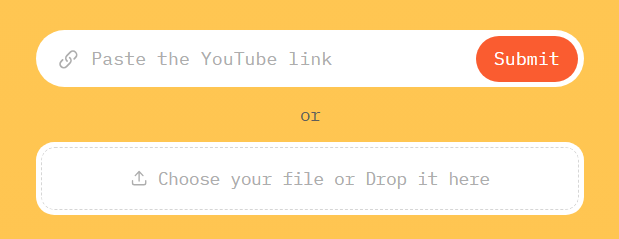
You can either upload a local file or paste a YouTube link. This is ideal for creators who want to convert a long YouTube video into a shorter one without re-editing everything from scratch. Free users can work with videos up to 30 minutes long, whereas premium users can upload videos up to 3 hours long.
Just insert a link or drop a local file and wait for the video to process.
Step 2: Adjust the Editing Settings
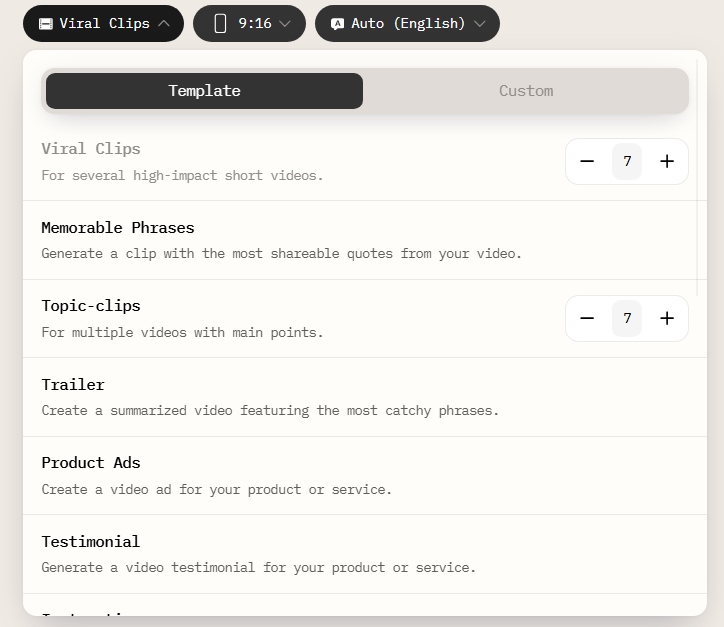
AI Video Cut automatically analyzes the transcript and identifies meaningful segments based on the chosen output type.
To create mini-lessons, select formats such as:
- Topic Clips: perfect for breaking a lesson down into individual concepts.
- Instructions: ideal for educational how-tos.
- Memorable Phrases: great for punchy learning moments.
You can also experiment with other video types or write your own custom prompt.
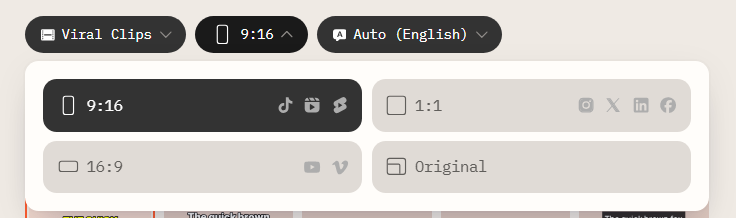
Then, select the aspect ratio that best matches the social platform where you intend to post your short videos.
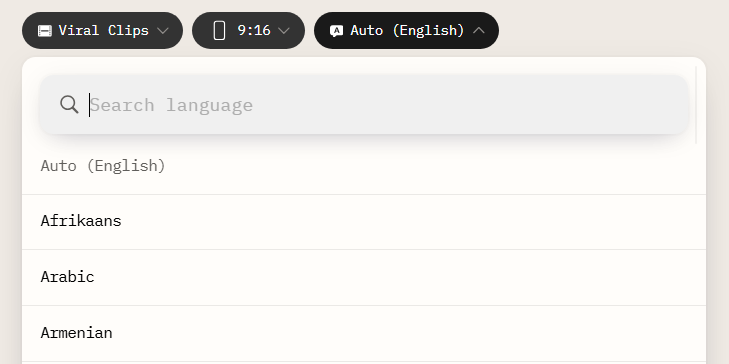
It is also possible to select the original video language for better caption accuracy.
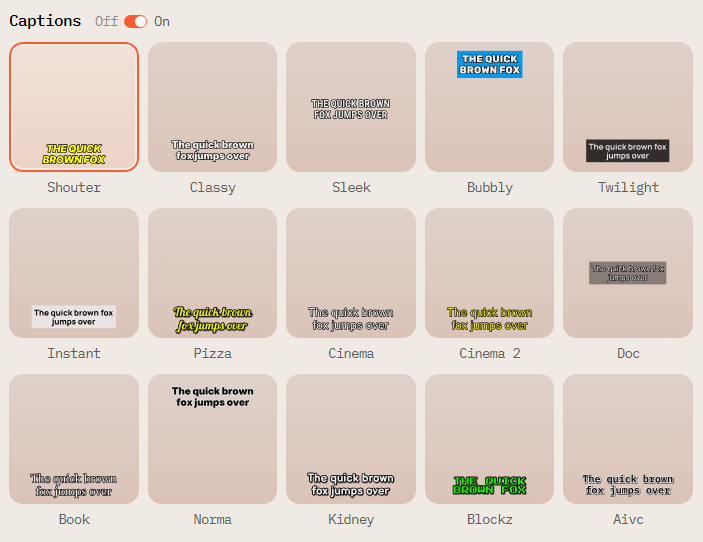
Step 3: Select Preferred Caption Style
Next, choose one of the caption styles that fits your video best. If you prefer a clean text-free look, toggle the captions off.
Step 4: Submit Your Video
Once all your parameters are set, click “Submit” and wait for your video to process. We always show the number of minutes you spend from your account when submitting the video. You will get an email once your clips are ready.

Step 5: Review the Results and Fine-Tune Your Clips
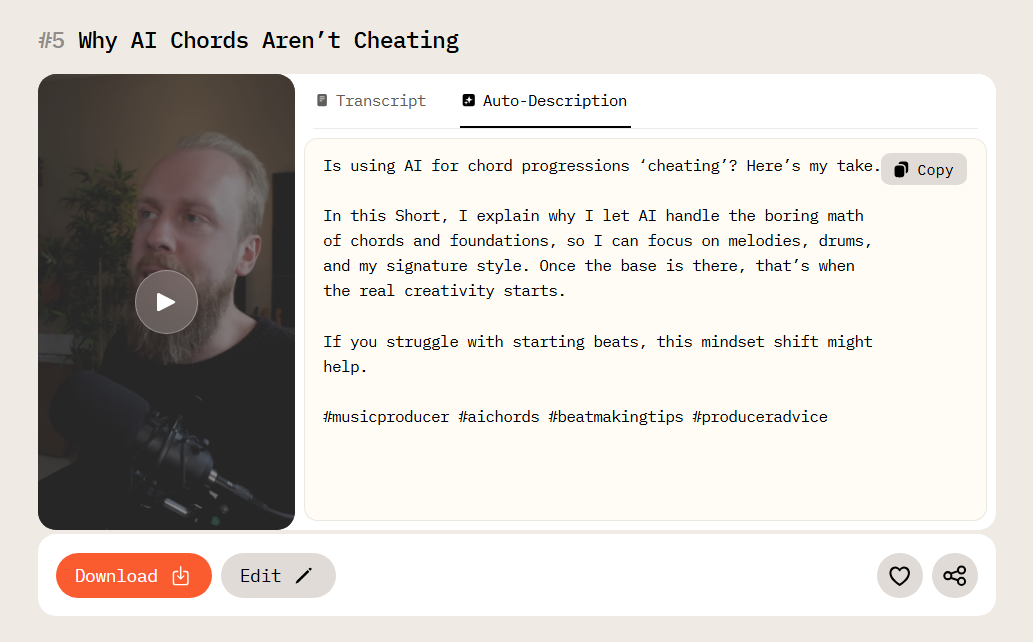
When your videos are ready, you can find them in “My Projects” and preview the results. Each video comes with a pre-generated title and description so that it is ready to post right away.
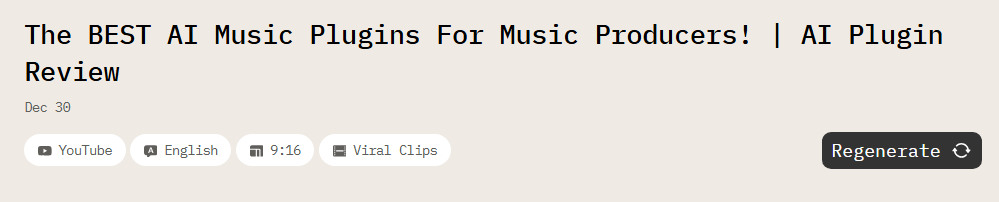
If you want to change the output type, aspect ratio, or video language, click “Regenerate” and choose new parameters that better fit your video.
To make transcript corrections, delete small video parts, or change captions design, you can use a built-in video editor. Just click “Edit” and make your changes.
Step 6: Export and Share
Once you’re happy with your clips, download and publish them.
The clips are already resized, captioned, and structured for engagement, so there's no need for extra post-production work. So, whether you intend to post on TikTok, Instagram Reels, or YouTube Shorts, you can hit publish right away. This makes AI Video Cut an efficient video to shorts converter for creators who want speed without sacrificing quality.
How Short Clips Drive Viewers to Full-Length Videos
Short clips work best when they do two things: deliver immediate value and spark curiosity. A well-crafted mini-lesson gives viewers a quick win and hooks viewers who might check your page for more insights and useful material. When people feel they’ve learned something useful in such a short time, they naturally assume the full-length lesson must contain even more value. Instead of asking people to commit to a 30- or 60-minute video right away, you let them sample the best moments first.
Using AI Video Cut as a long video into a short video solution helps you intentionally build this content funnel. Short and long videos together form a sustainable strategy where every piece of content supports the next stage of the viewer journey.
One Tool, Many Use Cases
AI Video Cut is a wonderful tool that can become a solid part of your workflow. Our solution is a complete content repurposing system for creators who want to get the most out of every long-form video they produce. The same principle applies to various types of content: record once, publish everywhere.
Our platform focuses on speech-based analysis, making it easily adaptable to a wide range of content formats. You can turn interviews, webinars, presentations, tutorials, and podcasts into short clips really easily. Unlike similar tools, AI Video Cut allows you to choose different output types, like topic clips, instructions, or memorable phrases, which means one long video can be used for multiple things across different platforms.
You don’t have to feel daunted by turning a long lesson into several short ones. AI Video Cut makes the process automated, so you can focus on teaching, storytelling, and strategy instead of doing the editing yourself. One upload can fuel an entire short-form content plan and drive growth for your long-form videos.
Paid plans unlock unlimited regeneration and editing, allowing you to experiment freely without worrying about limits. You can test different clip styles, captions, lengths, and formats until you find exactly what resonates with your audience. Start turning those long videos into powerful material today and see how AI Video Cut helps you convert attention into lasting growth.
AI notice: This feature uses AI technology to process your video files.