
Best Captions.ai Alternatives in 2026: Honest Comparison for Creators Who Need More
Captions.ai too expensive or unstable? We compared the best alternatives in 2026: pricing, honest trade-offs, and a clear recommendation for every use case.

AI notice: This feature uses AI technology to process your video files.

If you've been searching for the perfect video captioning tool, you're not alone. The short answer: the best Captions.ai alternatives in 2026 are AI Video Cut, Submagic, VEED.io, and Kapwing, each suited to different workflows and budgets. This article breaks down every option with real pricing, real user feedback, and a head-to-head comparison so you can pick the right tool without guessing.
Why People Are Looking for Captions.ai Alternatives
Captions.ai built its reputation on one thing done exceptionally well: animated, word-by-word captions for talking-head videos on social media. The app uses transcription technology, which gives it solid accuracy on clean audio, and its caption animations are genuinely one of the best-looking in the market.
But the cracks have become harder to ignore. The platform's credit-based pricing on its higher tiers adds another layer of frustration. The Max and Scale plans run on a monthly credit system where processor-heavy tasks eat up credits, which can lead to costs users didn't plan for — one busy month could leave you with a surprisingly large bill.
Captions.ai's pricing structure as of early 2026: the Pro plan at $9.99/month removes watermarks and gives access to over 100 caption templates; the Max plan at $24.99/month unlocks generative AI tools including AI Twin, AI actors, and text-to-video; the Scale plan at $69.99/month is for businesses that need more AI credits.
None of this makes Captions.ai a bad product, it's still excellent for creators who want polished captions fast. But it's worth knowing what you're signing up for before committing.
Quick Comparison Table
The Best Captions.ai Alternatives, Reviewed
#1. AI Video Cut — Best All-in-One Alternative for Long-to-Short Repurposing & Captioning
AI Video Cut sits in a different category from most caption tools. While Captions.ai is fundamentally a captioning app with editing features bolted on, AI Video Cut approaches the problem from the other direction: it's a video repurposing engine with a fully customizable caption layer.
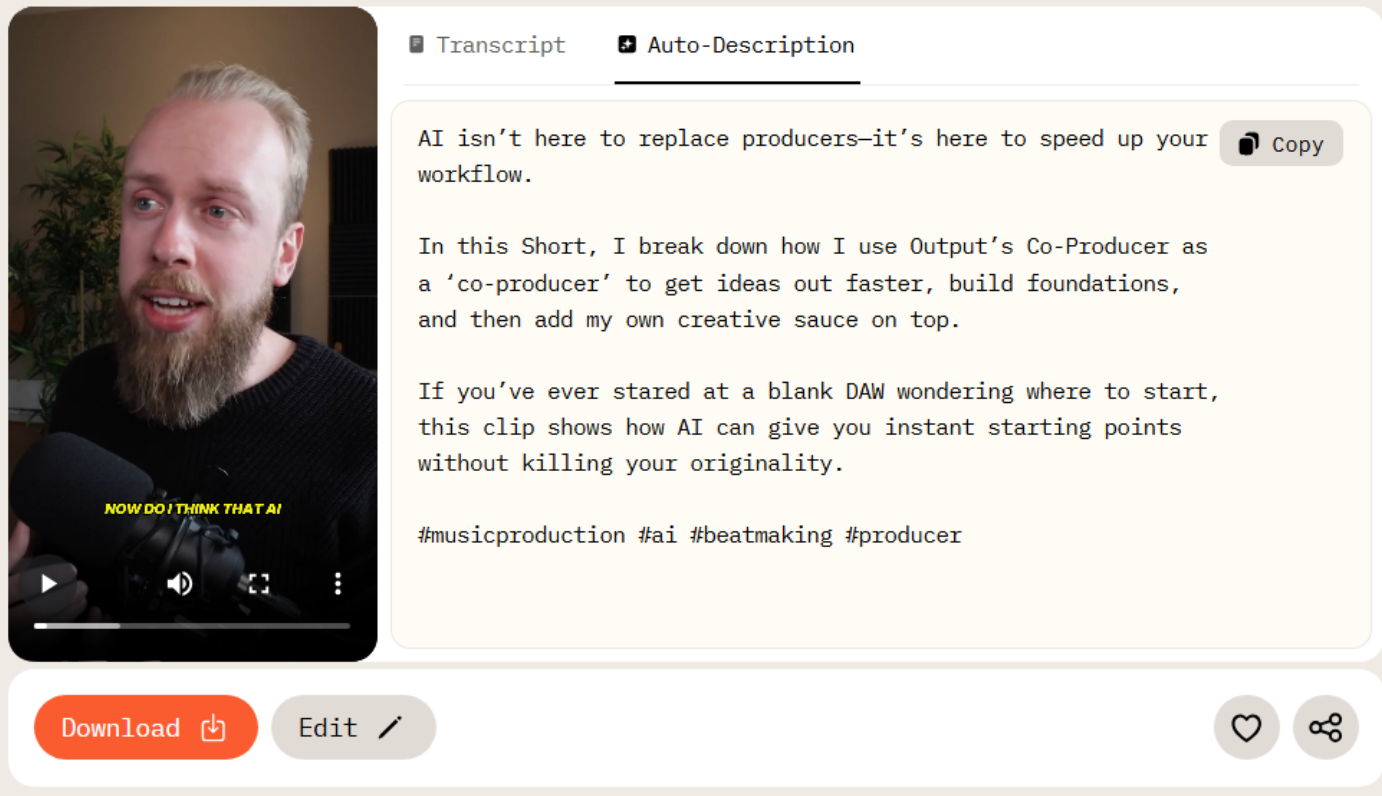
The core workflow is built around AI-powered clip extraction. You upload a video (up to 3 hours on paid plans), choose a prompt to make a video look like trailers, product ads, testimonials, viral clips, podcast highlights, memes, instructions, and the AI finds and cuts the most engaging segments automatically. This isn't just subtitle generation with a trim tool; it's a system designed to turn a 45-minute podcast episode or a corporate webinar into a week's worth of social content.
The caption system received a notable update in February 2026. Previously, users were locked into preset subtitle styles chosen at project creation. The new update unlocks full granular control directly inside the editor, without needing to restart a project. Font size, text position, stroke, shadow, background, and color are now all adjustable per preset. For a brand team producing content at scale, the ability to match exact visual guidelines without rebuilding clips from scratch is genuinely useful.
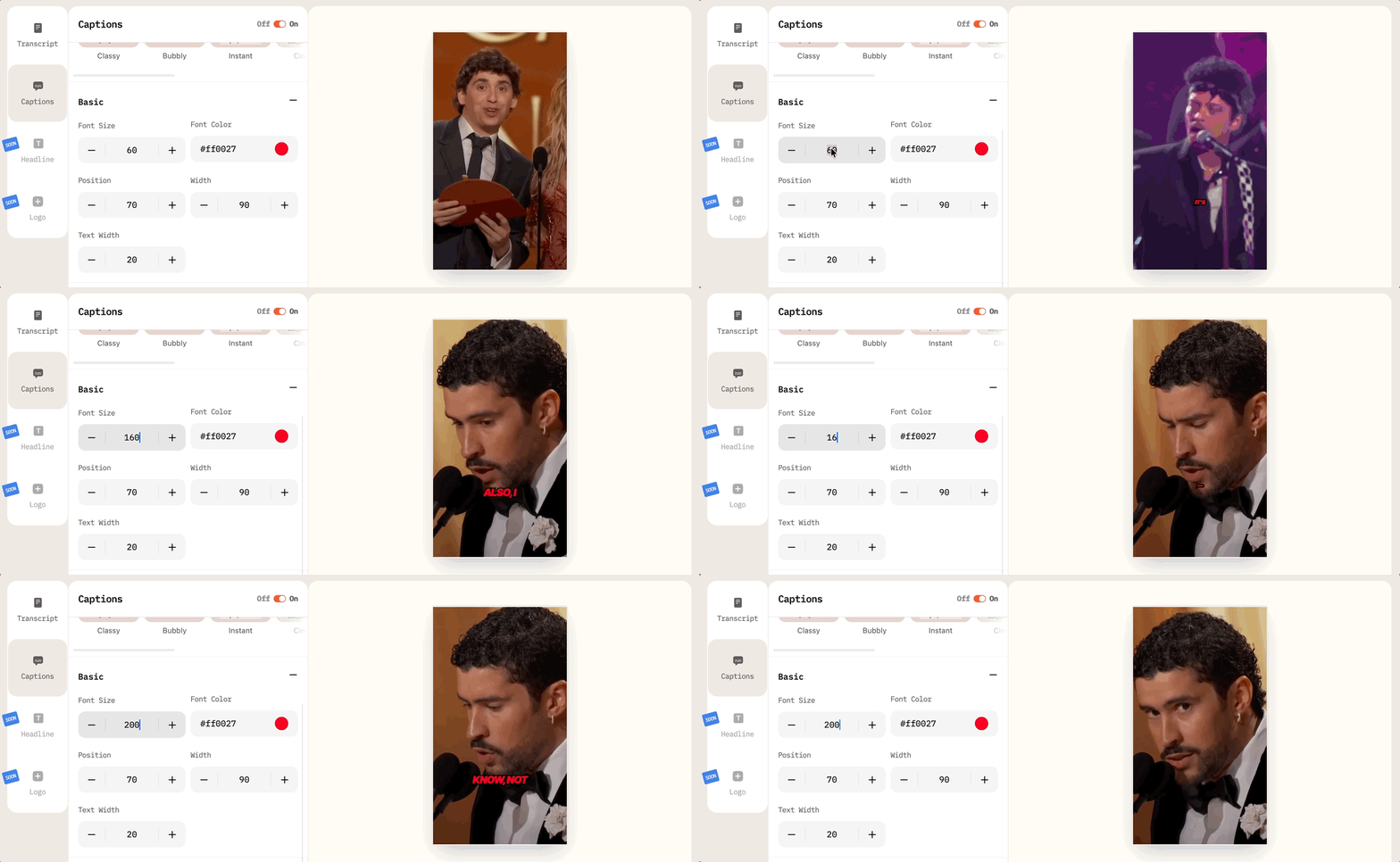
What sets it apart from Captions.ai: AI Video Cut is web-based and supports uploads from YouTube, Google Drive, in addition to local files. The face tracking and smart crop features keep speakers centered in the frame during vertical reformatting, which saves manual keyframing.
Pricing: The free plan gives 50 minutes one-time with a watermark. The Starter plan is $10/month (billed yearly) for 1,800 minutes/year, files up to 2 hours, no watermark, and unlimited editing. The Pro plan is $12.50/month (billed yearly) for 3,600 minutes/year and files up to 3 hours. All paid plans include FHD export, 100-language transcription, face tracking, hashtag generation, and 9:16/16:9/1:1 crop options.
Best for: Content creators, social media managers, small businesses, and e-commerce teams who need to repurpose long-form video into platform-ready clips with clean, customizable captions, without stitching together three separate tools.
If your primary use case is generating videos or captioning short talking-head videos directly in-app (the way Captions.ai works on mobile), AI Video Cut isn't optimized for that. It shines at repurposing existing footage rather than generating a video from scratch.
#2. Submagic — Best for Caption Aesthetics and Short-Form Creators
Submagic has over 500,000 creators worldwide and earned its reputation specifically for making captions look good. The platform lets you style subtitles in the manner of popular creators — Alex Hormozi-style emphasis blocks, MrBeast-style animations — with a single click. That kind of "creator-native" UX is hard to replicate.

The tool supports dynamic captions in 48 languages (at the time of writing), automatic B-roll insertion from a Storyblocks library, filler word removal, and AI-generated hooks (short attention-grabbing headlines that appear at the start of clips). It's browser-based, which means no app download required and no iOS-vs-Android inconsistency.
The Pro plan, at $23/month billed annually, is Submagic's best-seller, chosen by 82% of users. It includes up to 40 videos per month, audio improvement, and access to the Storyblocks premium library. Long-video-to-clips functionality comes as a separate $12/month Magic Clips add-on.
The main limitation is that Submagic is a caption-and-polish tool, not a full repurposing engine. It doesn't intelligently extract the most interesting segments from a long video the way AI Video Cut does. Its Magic Clips handles some of that, but it's an add-on rather than a core feature. Some users also note that Submagic currently lacks direct integrations with YouTube, requiring manual download and re-upload.
Pricing: Starter at $12/month (15 videos), Pro at $23/month (unlimited), Business at $41/month. Note: Pricing has fluctuated across 2025 and 2026, so you should check the official site for current rates.
Best for: Creators who prioritize caption visual quality and want ready-to-post short clips without investing in a broader repurposing workflow.
#3. VEED.io — Best for Browser-Based Editing with Team Features
VEED.io is the closest thing to a complete desktop video editor that runs entirely in a browser. It handles trimming, subtitles, transitions, voice cloning, AI avatars, eye contact correction, screen recording, and translation into 50+ languages — all without software installation.
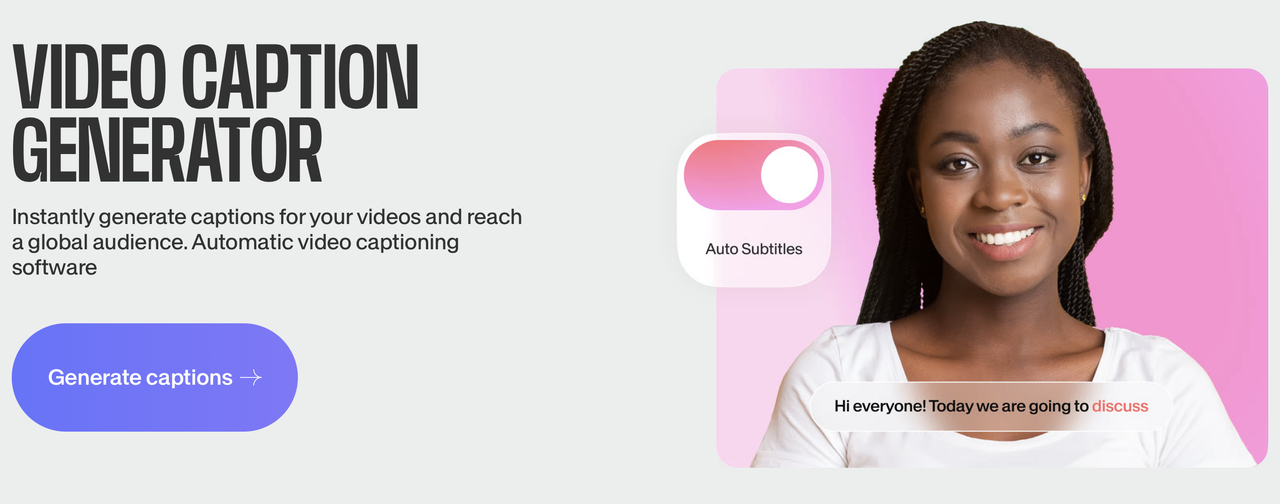
The Lite plan removes watermarks and provides Full HD 1080p exports, 12 hours per month of captions/subtitles, and full stock audio and video library access for $19/month per editor. The Pro plan at $49/month adds unlimited AI studio videos, 20 minutes/month of translation, and 15+ AI tools including Clean Audio and Eye Contact correction.
Where VEED shines against Captions.ai is the team collaboration functionality, which means that teams can work in real time on higher-tier plans, which Captions.ai doesn't support.
The trade-off is caption quality in terms of aesthetics but transcription accuracy was found to be inconsistent. Even in clean, high-quality audio, some reviewers encountered frequent misheard words. For marketing videos where getting noticed in the feed matters, this is worth factoring in.
Pricing: Lite from $9/month billed yearly, Pro from $24/month billed yearly.
Best for: Solo creators and small teams who want a versatile web-based editor that handles captions alongside more traditional video editing tasks, especially if they produce content across multiple formats.
#4. Kapwing — Best for Team Collaboration
Kapwing is designed for teams, with collaboration features baked into the editor. A key differentiator is its real-time collaborative editing: multiple people can work on the same timeline simultaneously in the browser, which is still uncommon among lightweight, browser-based editors at this price. It also includes a robust meme maker for image, GIF, and video memes, with templates and advanced customization options.
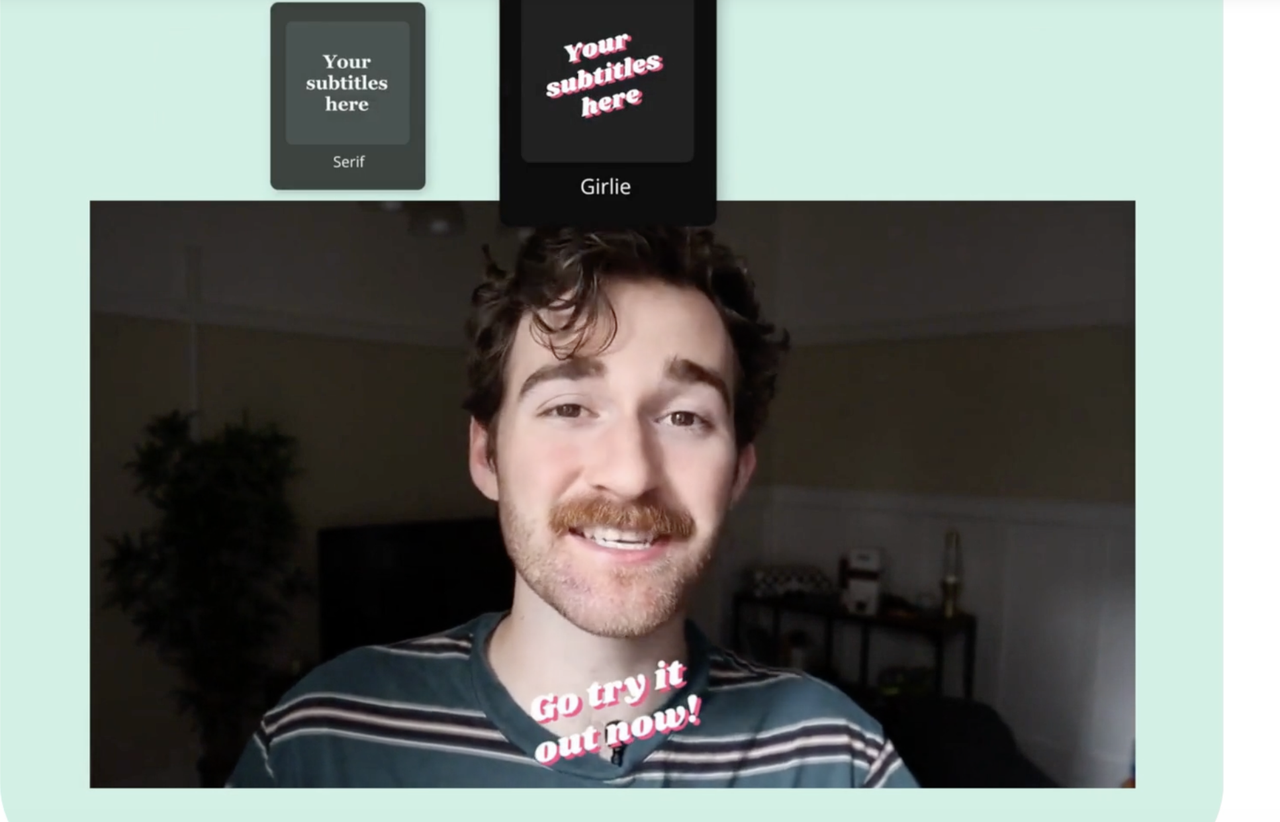
Kapwing's free plan limits videos to 1 minute and adds a watermark. Paid plans start at $16/month. Caption and subtitle features are solid but less visually polished than Submagic as Kapwing's value is in its collaborative infrastructure, not in making captions pop.
If you're a solo creator, the collaboration argument doesn't apply and Kapwing's pricing becomes harder to justify compared to AI Video Cut or Submagic. But for social media teams where multiple editors and a content manager need to review and iterate on the same clips, it's the cleanest workflow available at this price range.
Pricing: Kapwing offers four pricing tiers: a no-cost entry point with 10 credits. Pro for $16/member/month (billed annually) or $24/month, which is the most popular plan, giving 1,000 credits/month. Business for $50/member/month (billed annually) or $64/month includes 4,000 credits/month and everything in Pro, plus custom voice clones, lip sync, and the ability to purchase additional credits. Enterprise plan with custom pricing is tailored for large organizations. Includes everything in Business plus custom billing, a dedicated account manager, priority support, onboarding/training, and SAML single sign-on (SSO).
Best for: Marketing teams and content agencies working on short-form video at scale, where multiple people need access to the same projects.
AI Video Cut vs. Captions.ai — Head-to-Head
The biggest practical difference: AI Video Cut imports video from YouTube and local drive and builds clips around your content using AI prompts. Captions.ai is built around recording or generating a clip from scratch and making it look good. They solve adjacent problems.
Choose Captions.ai if you record talking-head content and want the best-looking animated captions with the least friction. Choose AI Video Cut if you're working with existing footage, such as podcasts, webinars, long recordings and need both smart clip extraction and clean, customizable captions in one workflow.
FAQ
What is the best free Captions.ai alternative?
AI Video Cut offers the most generous free entry point among dedicated video repurposing tools: 50 one-time upload minutes with no subscription required.
Which Captions.ai alternative is best for YouTube Shorts and TikTok?
Submagic is built specifically for short-form social content, with creator-style caption presets, AI hooks, and B-roll from Storyblocks. AI Video Cut is better if you're starting from longer source material and need the AI to identify the best clips.
Can AI Video Cut replace Captions.ai?
For repurposing long videos into captioned clips across all devices, yes. For talking-head videos with animated captions and/or generating captioned videos from scratch, no — Captions.ai is still more suited to that specific workflow.
Which tool works best on Windows and Android?
AI Video Cut and VEED.io are web-based and work identically across all platforms.
Do any of these tools support languages other than English?
All of them do. AI Video Cut supports transcription in 100 languages. Submagic supports captions in 48 languages at the time of writing. VEED.io supports subtitles in 100+ languages with translation to 50+.
What happens to my clips if I cancel a subscription?
This varies by tool. AI Video Cut stores files for 6 months on paid plans (14 days on free). Download your exports before canceling any subscription on any platform.
Is Submagic or VEED.io better for a small team?
VEED.io has stronger collaboration tools and a cleaner team management interface. Submagic's team features exist on Custom plans but aren't its primary strength. If collaboration is the priority, VEED.io or Kapwing are better fits.
Why is Captions.ai's pricing confusing?
The base Pro plan is straightforward at $9.99/month, but the Max and Scale plans use an AI credit system where tasks like dubbing or AI Twin video generation consume credits. Heavy users can exceed their monthly allocation, making the bill unpredictable.
AI notice: This feature uses AI technology to process your video files.