
Introducing Custom Prompts: A Game-Changer for Video Repurposing
Discover AI Video Cut new Custom Prompts feature! Create short-form videos based on your request by specifying the number of clips and their focus.

We are proud to announce a new feature of our product! Up until now, AI Video Cut has allowed users to create videos with preset prompts, such as trailers and topics-clips. Today, we are excited to introduce the new feature: Custom Prompts. This new feature allows you to take full control of the repurposing process by personalizing the output to your exact needs. Now, you have a chance to decide on your own what you would like to see in the resulting clip.
Here is how it works:
- Paste the link or upload the video from your computer
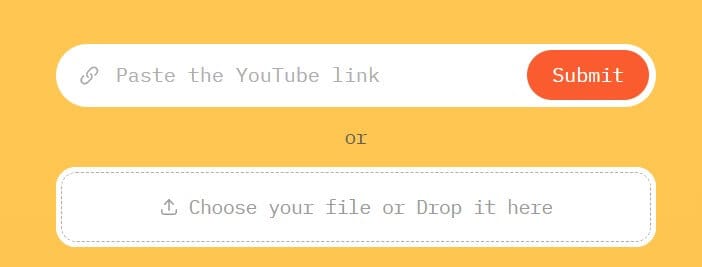
- Choose “Custom” in the video type section

- Type in your prompt. If you are unsure how to do this correctly, check out the best practices link below the field.
- Choose the aspect ratio, video language, and caption style

- Wait for your video to process, and enjoy your results! If you wish to regenerate the video, just click the “Regenerate” button

How to Write a Custom Prompt
Your prompt depends on the video topic you want to create. Here are 2 main factors you need to decide on:
- Define the number of quotes. Specify the exact number of quotes you want to have in the video.
- Set the focus. Describe the type of quotes or highlights you'd like to see.
Remember to add simple conditions such as “Don’t repeat the quotes” and experiment with the prompts so you get the result you aim for. Let’s see an example in action. We wanted to create a teaser video with an advent calendar review that contains all the calendar brands mentioned in the video. We decided that 8 quotes would be enough, then we specified that the quotes should be about the brand names, and finally, we added a condition that quotes should not be repeated. Here is how the custom prompt looked in the end:

AI Video Cut created a polished, concise clip customized to our exact specifications in just a moment out of a 15-minute full-format YouTube video.
The new Custom Prompts are just the start. AI Video Cut is continuously improving to meet our users’ needs. Look out for future updates that make editing more precise and take your content strategy to the next level. Don’t forget to share your feedback so that we know how to make your experience better!