
How to Make TikTok Fan Edits with AI Video Cut
Thinking of making your first TikTok fan edit? AI Video Cut is an ideal cure for the blank page anxiety.

AI notice: This feature uses AI technology to process your video files.

Fan edits never really left TikTok, or any other social media platform, for that matter. They just got faster, sharper, and more competitive. Scroll through TikTok today and you’ll still find character edits from HBO’s Industry, Euphoria, K-pop idols’ performances, emotional football compilations, moody celebrity montages synced perfectly to trending audio, and even politicians’ viral moments with the most streamed Bad Bunny’s song in the background. Some of them rack up hundreds of thousands, sometimes even millions of views.
In 2026, it isn’t the format that changed; it’s the workflow.
Where creators once spent hours scrubbing through episodes’ timelines and manually cutting clips frame by frame, many now rely on AI tools to surface the strongest moments first. That shift matters, as TikTok rewards speed, volume, and emotional punch.
Here’s how to create TikTok fan edits that actually hold attention.
What Are TikTok Fan Edits?
A TikTok fan edit is a short, emotionally charged video built around a character, celebrity, politician, relationship (“ship”), sports figure, or fictional universe. It’s less about narrative continuity and more about mood.
@8tarryeyes i can’t remember who did this first!! please tag if you know 🙏 #sabrinacarpenter #sabrinacarpenteredit #foryoupage #fypシ゚ #shortnsweettour ♬ original sound - abbie ☆
Common formats include:
- Character-focused edits highlighting one protagonist
- Ship edits built around two characters’ chemistry
- Movie or TV montages centered on a theme (betrayal, redemption, obsession)
- Celebrity edits using interviews, performances, paparazzi clips
- Sports edits featuring clutch plays or career highlights
What makes a fan edit work isn’t complexity but the rhythm.
Strong, viral edits typically include:
- A hook in the first 1–2 seconds
- Tight beat synchronization
- Close-ups and reaction shots
- Escalation toward an emotional peak
- A loop-friendly ending
- Can contain captions if there's speech in the video
TikTok’s algorithm favors watch time and replays, so a good edit often feels like it ends too soon, which is exactly the point!
Why Making Fan TikTok Edits Is Hard Without AI
On the surface, fan edits look simple, but that’s only in theory. In practice, they’re labor-intensive.
- First, you need source material: a single 45-minute episode that can contain only 30–60 seconds worth cutting. Finding those moments requires scrubbing, previewing, rewinding, and tagging.
- Then comes rhythm. Syncing visual cuts to a trending audio track demands precision. Miss the beat and the edit feels off instantly.
- There’s also pacing. TikTok favors 15–25 second videos. That means distilling hours of footage into a compact emotional arc, such as introduction, tension, payoff, in less time than a TV commercial.
- Finally, there’s burnout. Many fan edit creators produce multiple videos per week. Manual editing at that volume becomes exhausting.
This is where AI Video Cut changes the workflow.
Why AI Video Cut Works for Fan Edit Creators
Fan edits are about emotion and timing. And let’s be honest, AI doesn’t replace creative taste, but it accelerates the technical side.
It reduces time spent scrubbing footage, manual highlight detection, and repetitive trimming work while increasing output volume, experimentation speed as well as iteration possibilities. And let’s not forget about the blank page fear. If you don’t know where to begin, AI Video Cut can be a helpful starting point.
For creators who want to post regularly, that difference adds up quickly.
Instead of spending two hours on one edit, you can create multiple variations in the same time frame — and let performance data guide your next move.
Step-by-Step: How to Make a TikTok Fan Edit with AI Video Cut
Step 1: Choose Your Source Material
Start with strong footage. Trailers, interviews, behind-the-scenes clips, match highlights, or official scenes all work well.
If you’re making a character edit of, say, a morally conflicted anti-hero, focus on scenes with:
- Intense close-ups
- Emotional confrontation
- Silence followed by impact
- Visually striking lighting
The more expressive the source material, the better the AI can detect standout moments.
Note that to get the most out of AI Video Cut, the source videos should contain a lot of conversations and speech, not entirely visual or musical.
Step 2: Upload Your Video to AI Video Cut
Upload a longer clip rather than a short one. AI performs best when it has more context to analyze.
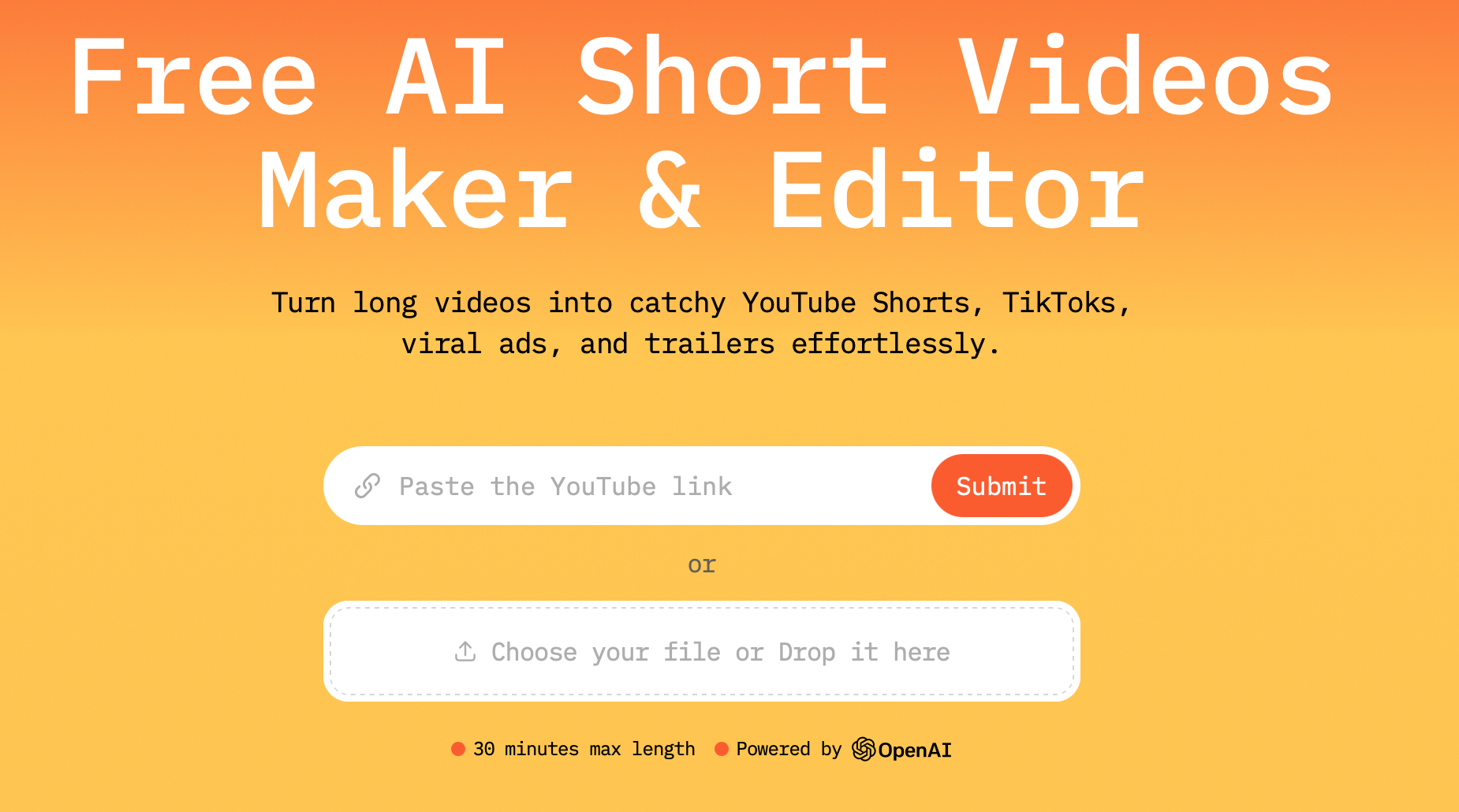
For example, instead of uploading a single 20-second clip, upload a full interview or episode segment. The system scans for emotional peaks during conversations, high-energy moments, and highlights that has the strongest virality potential.
This reduces the time spent manually hunting for highlights.
Step 3: Select the Right AI Prompt
AI Video Cut allows you to guide the edit style.
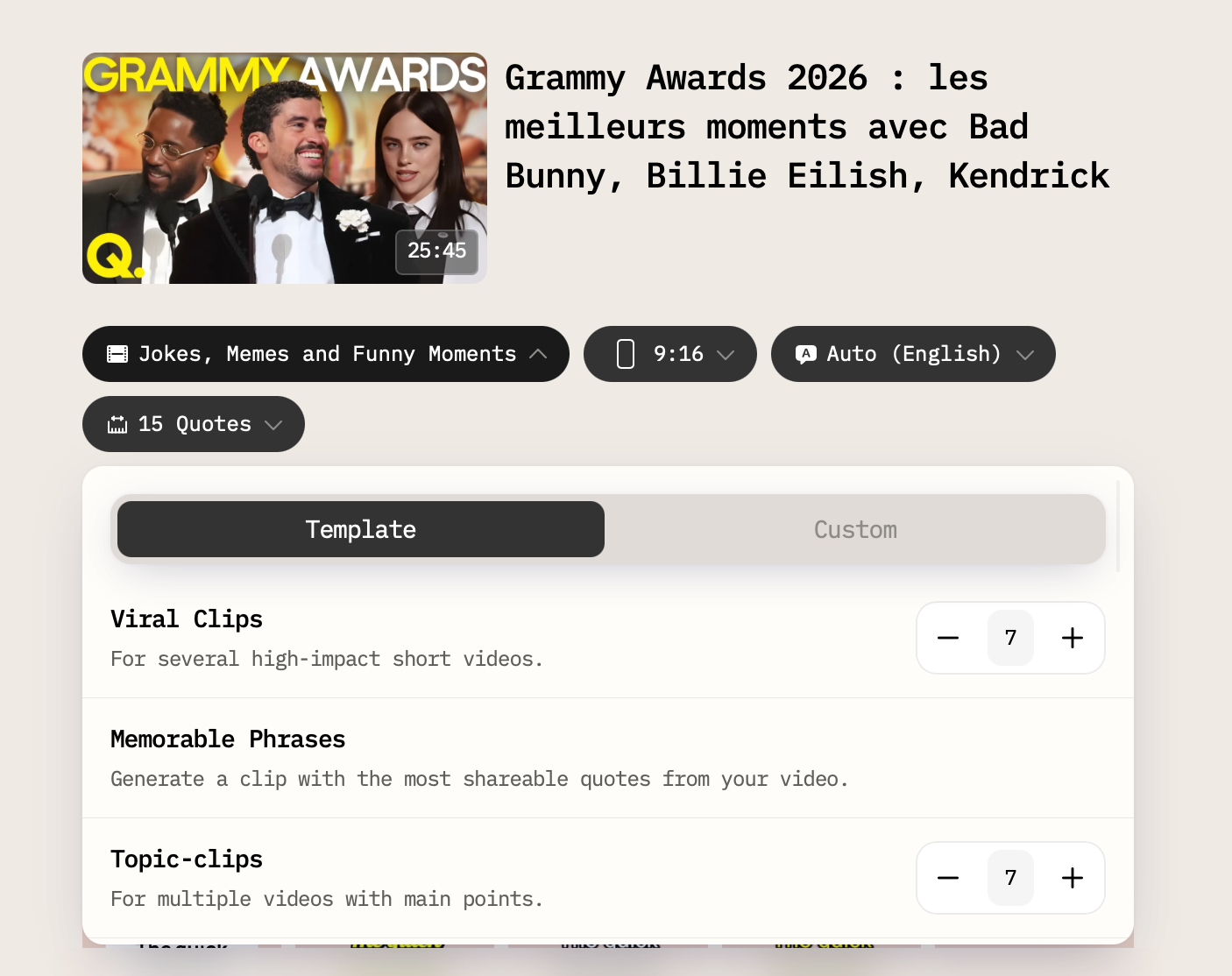
There are multiple prompts that might work extremely well for TikTok fan edits. You can try a few — Viral Clips, Memorable Phrases or Jokes, Memes, and Funny Moments — and then select what works best.
Once processed, the tool assembles a short cut based on the selected style.
Instead of manually scrubbing through 40 minutes of footage, you get a condensed version built around visual and emotional intensity.
This doesn’t remove creative control but gives you a strong first draft.
Step 4: Optimize for TikTok
When you choose a prompt, select the aspect ratio optimized for TikTok (9:16) and length.
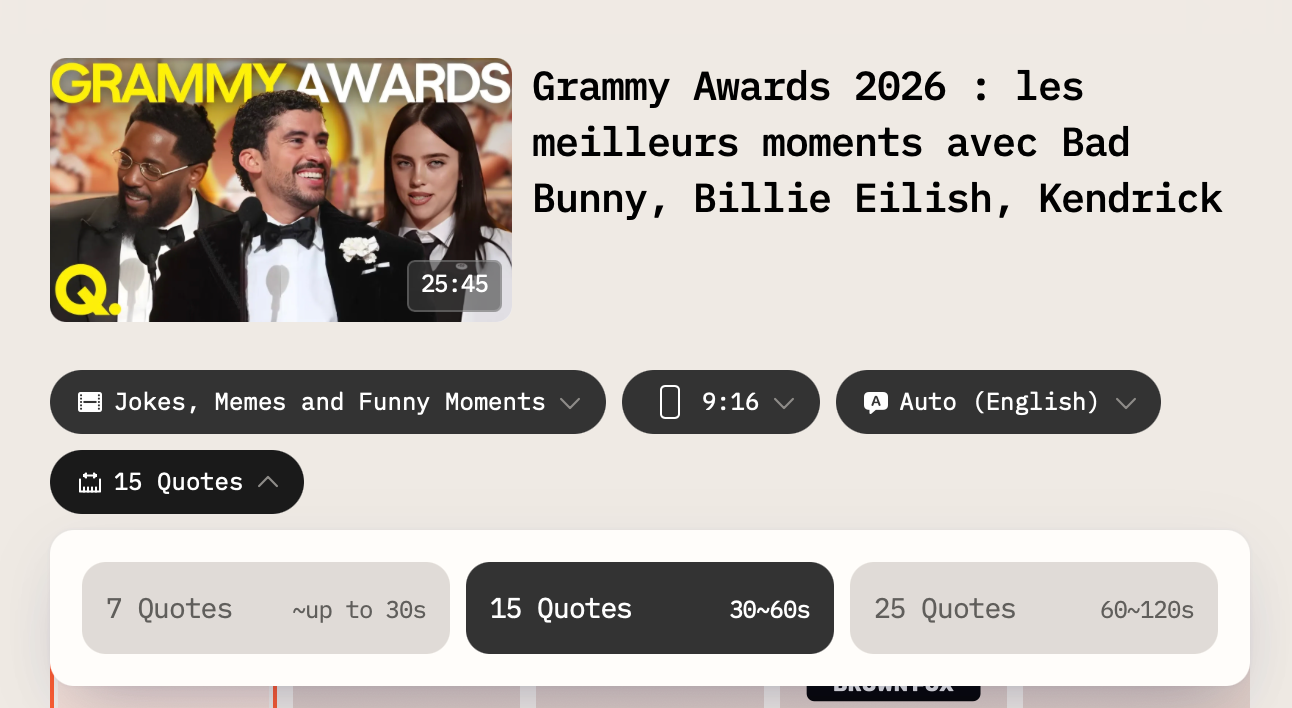
Edits between 15 and 22 seconds often perform well because they encourage replays.
Step 5. Choose Captions Style
AI Video Cut lets you select from a variety of captions that differ in fonts and colors.
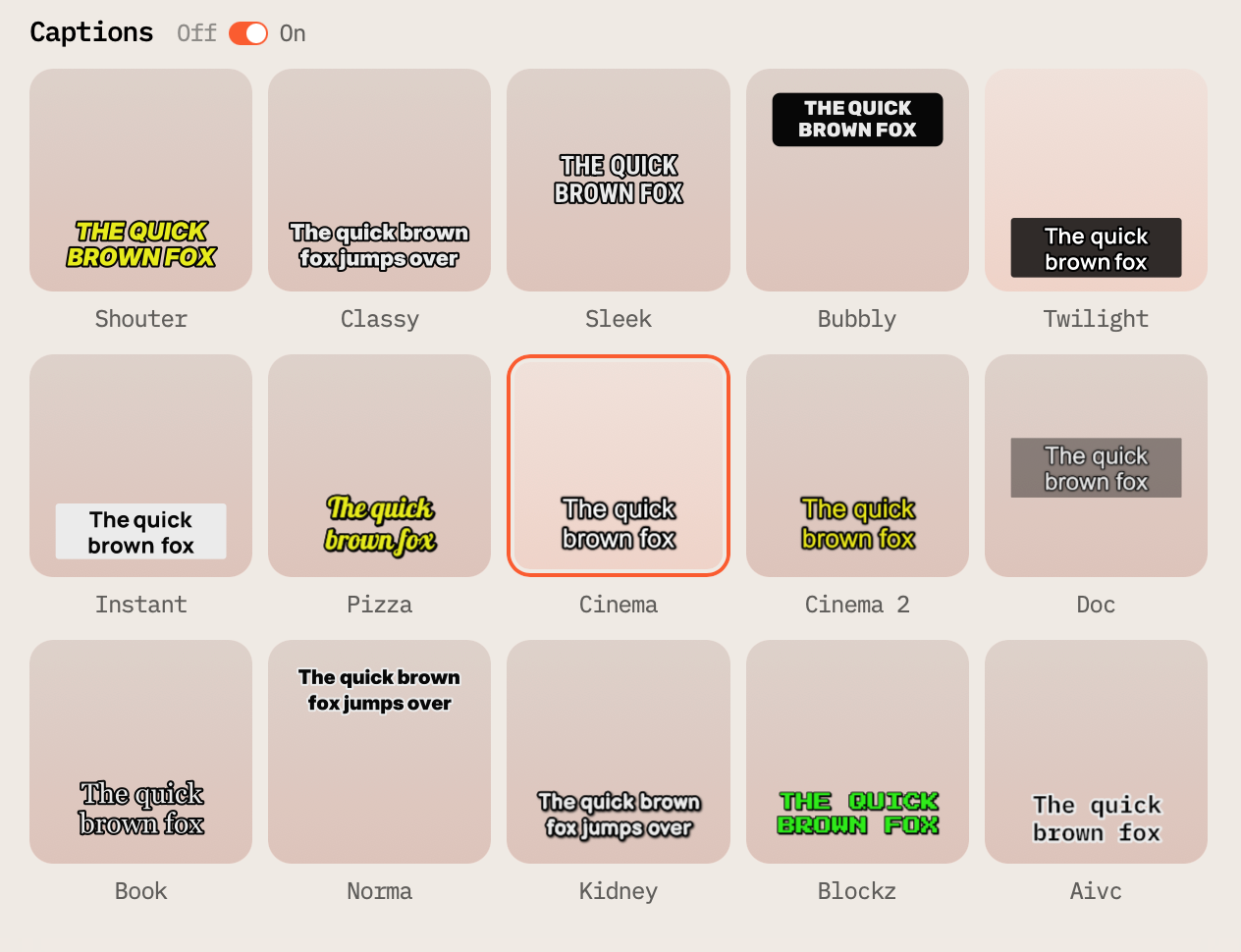
If you want, you can turn the captions off, but we wouldn't recommend it: lots of people watch videos without sounds on, so you’ll increase the viewership and accessibility of your clip by adding the captions.
Plus, you don’t even have to add them manually!
Step 6. Submit the Video & Review the Result
In addition to the video, AI Video Cut automatically generates a caption and hashtags that you can copy and paste right on TikTok when publishing.
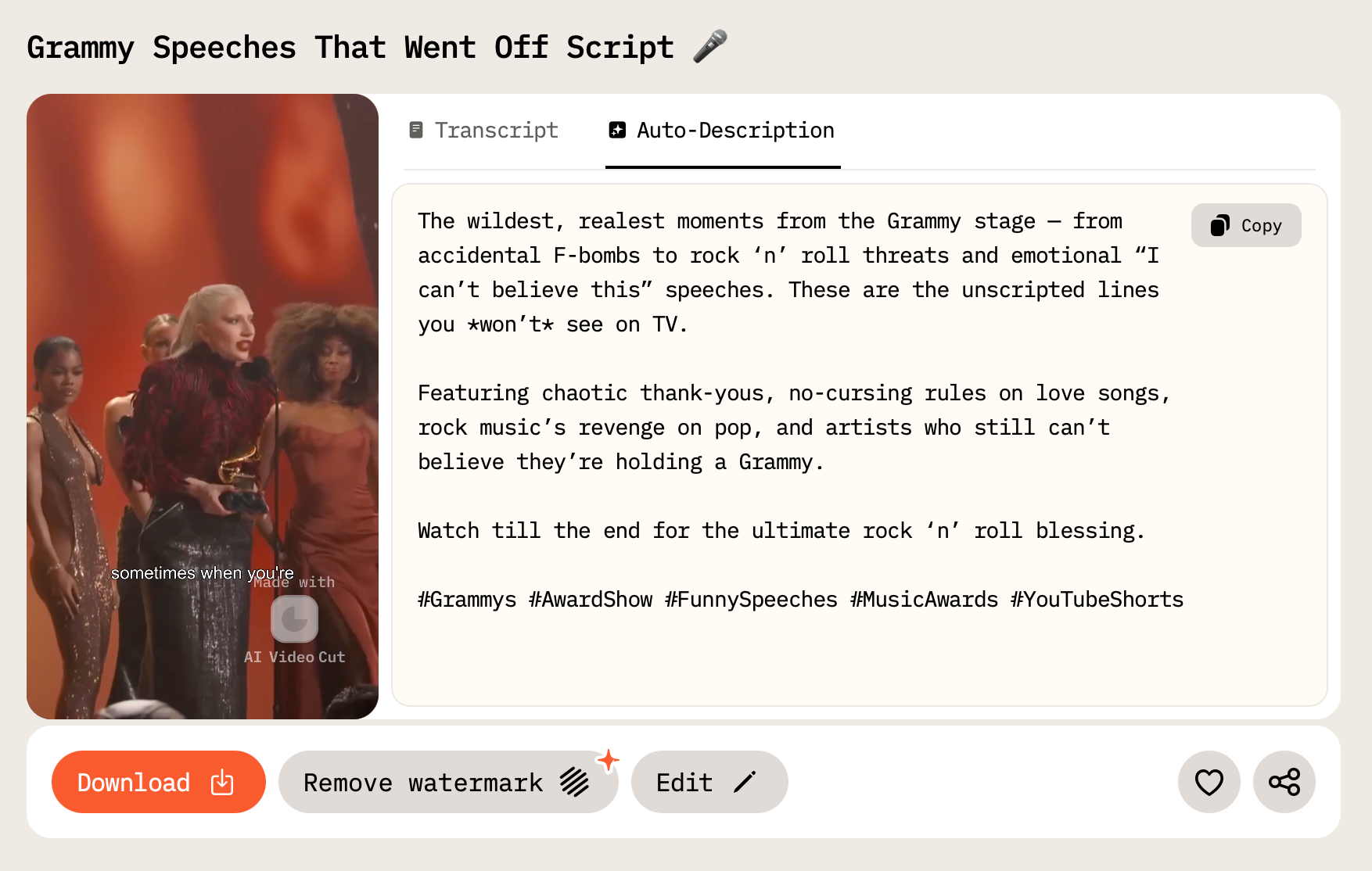
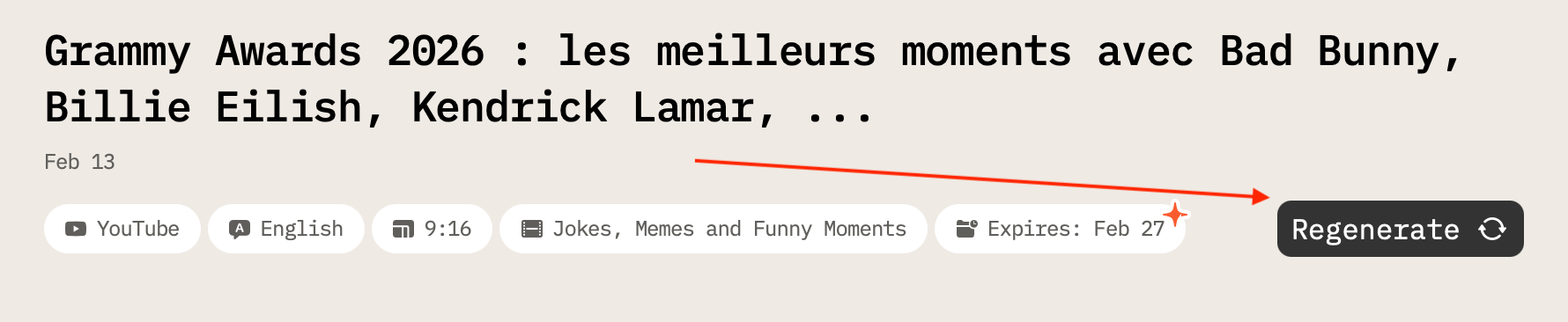
AI Video Cut will need a few moments to process the video and give you the final result. If you like what you see, you can easily download it, add a sound you want, and publish it on TikTok. If not, you can either regenerate the video entirely or make a few tweaks in the AI Video Cut’s editor.
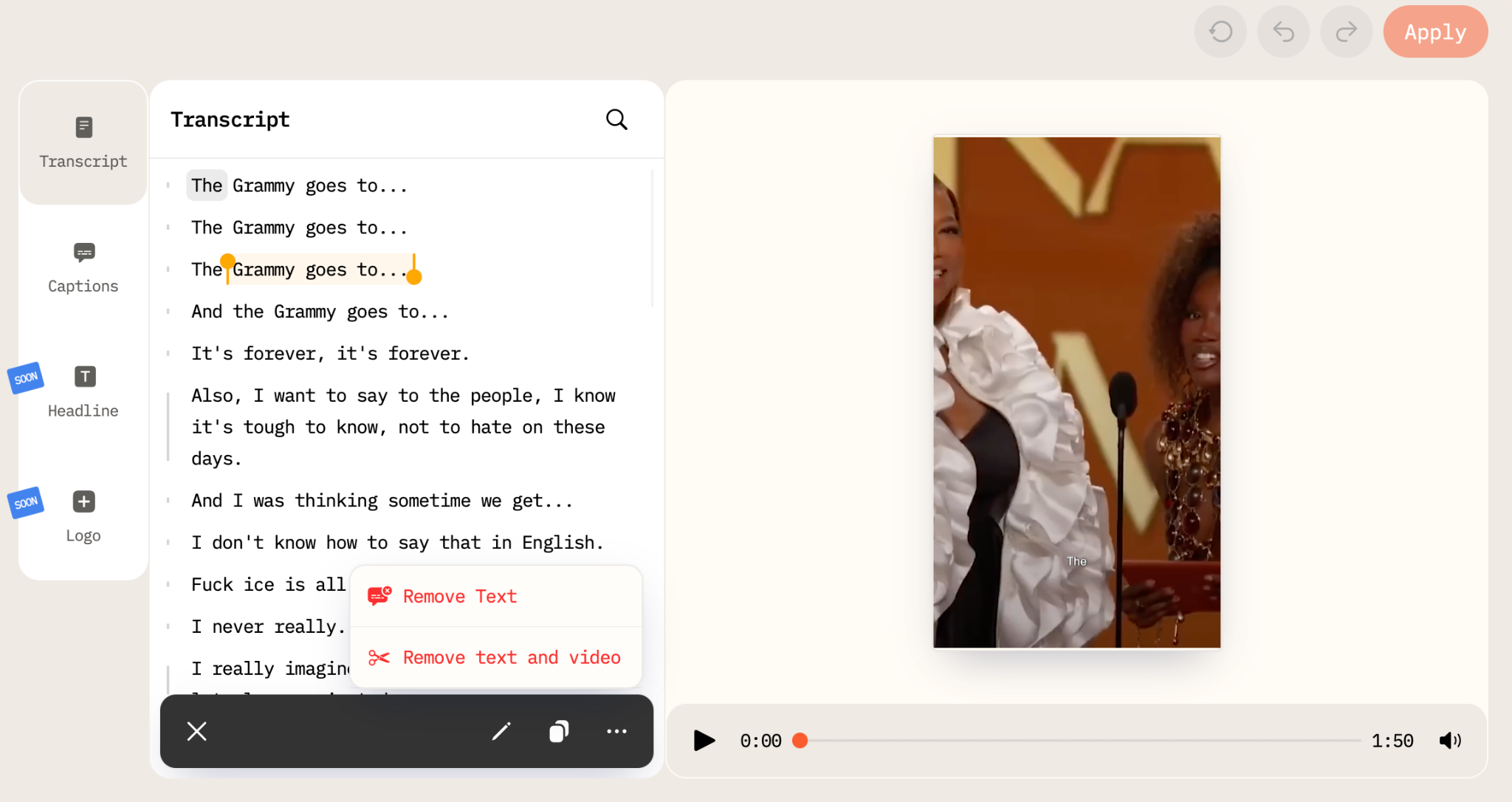
If you want to remove some phrases from the video, change the captions style, or remove text along with the video bit, you can use the Editor by pressing the Edit button under your video.
How to Make Your Fan Edit Go Viral on TikTok
There’s no formula, but patterns are visible. Use trending audio whenever possible as TikTok favors content built around sounds already gaining traction.
Make the first second (or rather, 3 seconds) count: many users decide instantly whether to keep watching.
Keep the ending tight because abrupt cuts that loop seamlessly often increase repeat views.
Use relevant hashtags: character name, fandom tags, “fanedit,” and genre markers. But avoid overloading the caption with unrelated trends.
Post consistently. Accounts that publish multiple edits per week tend to grow faster than those uploading once every few weeks.
Common Mistakes to Avoid
Many fan edits fail for predictable reasons; long intros kill momentum, and TikTok isn’t exactly patient. Overloaded text distracts from visuals, so ideally, try to keep captions readable and brief.
Oh, and don’t forget about sounds! Poor beat alignment breaks immersion instantly.
And finally, copyright matters a lot. Using official clips or music can trigger claims depending on how the content is processed and distributed. Sure, short transformative edits often fall under fair use principles in some regions, but that protection isn’t automatic.
FAQ
Is it legal to make TikTok fan edits?
It depends on how the source material is used and where you’re located. Short, transformative edits sometimes fall under fair use or similar doctrines, but copyright enforcement varies. Always review platform rules and local regulations.
Do I need professional editing skills to use AI Video Cut?
No. The tool generates a structured first draft. Basic editing knowledge helps refine the result, but beginners can produce clean edits without advanced training.
What video length works best for TikTok fan edits?
Most high-performing edits fall between 15 and 25 seconds. Shorter videos often encourage replays, which can improve watch time metrics.
Can I use AI Video Cut for sports and celebrity edits?
Yes. The tool works with interviews, match highlights, performances, trailers, and other long-form content. Clear prompts help tailor the output to your niche.
How often should I post fan edits?
Consistency matters more than volume. Posting several times per week generally performs better than irregular uploads, especially for fandom-focused accounts.
TikTok fan edits aren’t disappearing anytime soon. The format is fast, emotional, and endlessly adaptable. With AI Video Cut, the production process becomes lighter — leaving more room for experimentation and storytelling.
Can you make money from fan edits on TikTok?
Yes, you can, but usually not directly from the edits themselves. Because they use copyrighted clips, many fan edits don’t qualify for TikTok’s Creator Rewards payouts. Most creators earn instead through brand deals, affiliate links, or by promoting editing services. Some also use fan edits to grow an audience and then monetize on YouTube, Patreon, or by selling presets and custom edits. The key is building a niche audience rather than relying only on platform payouts.
In fact, according to Variety, Hulu, Paramount+, and Lionsgate even hired TikTok fan editors to market movies!
AI notice: This feature uses AI technology to process your video files.